01 · Start here
Create an Audio Overview
Follow the exact sequence: process sources, open Studio, choose a format, set language and length, add instructions, then generate.
See the steps →Start here for the complete Audio Overview workflow: create from a focused source set, choose Deep Dive, Brief, Critique or Debate, customize the focus and length, then download or share the finished audio. Specialist guides handle prompts, limits and troubleshooting separately.
TL;DR — Audio Overview turns selected notebook sources into an AI-hosted discussion. In 2026 you can choose Deep Dive, Brief, Critique or Debate, tailor language and length, steer the focus with instructions, keep listening while you work, and download or share the finished audio. Use the task paths below for specialist prompt, limit and troubleshooting questions.
Updated 2026-10-11 · ~12 min guide. Use this guide for creating, downloading and sharing audio. Follow the linked guides for prompts, limits and troubleshooting. See sources →
What is NotebookLM Audio Overview? It is Google’s AI-generated spoken discussion based on the sources selected in a notebook. “Podcast” is the common nickname; Audio Overview is the official feature name. The best results come from a focused source set, the correct format, clear custom instructions and a verification pass.
Audio is a comprehension layer—not a replacement for the original sources · Important claims still require verification
Choose the task you want to complete.
Follow the exact sequence: process sources, open Studio, choose a format, set language and length, add instructions, then generate.
See the steps →Control audience, focus, depth, tone, exclusions and the final takeaway with a compact instruction structure.
Copy prompt examples →Compare the four official formats, then use instructions to create study reviews, executive briefings, interviews, FAQs and storytelling variants.
Compare formats →Check current daily caps, plan access, language restrictions, length controls, sharing rules and undocumented variables.
See current limits →Troubleshoot a missing Generate button, processing failure, stuck generation, missing options, playback trouble or quota message.
Fix by symptom →Learn why people call it a podcast, what the feature can export, what it cannot publish, and where copyright and fact-checking matter.
See the difference →These are the broad answers people need before generating audio. Follow the specialist guides for detailed quota, prompt and troubleshooting questions.
Current consumer-plan limits are Standard 3/day, Plus 6/day, Pro 20/day, Ultra 20 TB 100/day, and Ultra 30 TB 200/day. Google says daily quotas reset 24 hours after use and may change; separate AI usage also refreshes about every five hours up to a weekly limit.
Check current limits by plan →Open Audio Overview customization before generation and specify the listener, central question, evidence to emphasize, tone, exclusions and desired takeaway. Instructions steer the discussion; they do not give line-by-line script control.
Use tested instruction templates →Google does not consistently publish a stable public character limit for every account and interface. Keep instructions compact and prioritize audience, focus, evidence and outcome instead of filling the box.
See confirmed vs undocumented limits →Where the length control is available, you can choose Shorter, Default or Longer. It is a preference rather than an exact duration guarantee, and availability can vary by language, format, account and rollout status.
Understand audio length controls →No. Deep Dive, Critique and Debate use a conversational multi-host structure, while Brief is designed as a compact single-speaker summary. Choose the official format before trying to reshape it with a prompt.
Compare the four official formats →“Google AI podcast” and “NotebookLM podcast” are common search terms for Audio Overview. Audio Overview is the official feature name, and the output is not a full podcast publishing system.
Podcast vs Audio Overview →Audio quality depends on usable source text. Remove failed, duplicate or irrelevant sources before generating.
Select the source subset for this audio instead of automatically using everything in a large notebook.
The official format sets the basic structure. Do not try to force a Debate prompt into Brief or a one-minute summary into Deep Dive.
Shorter, Default and Longer are currently documented for English Audio Overviews. Treat the control as a preference, not a guaranteed runtime.
Name the listener, the central question, the evidence to emphasize, what to exclude and what the listener should understand or do at the end.
Check whether the hosts accurately represent the sources. Correct weak evidence or conflicting documents before simply making the prompt longer.
Choose file or link access, test permissions, and attach a short description of the audience, source set and AI-generated nature of the audio. Provide a reviewed text summary when listeners need a text alternative.
Follow the sharing stepsReview claims, edit the production, prepare show notes and choose hosting or distribution. A downloadable Audio Overview does not itself create an RSS feed or manage a series.
Choose a publishing pathGoogle's September 15, 2026 announcement adds new ways to continue learning after listening. Availability varies by plan, age, language and rollout. Check your account before planning a workflow around a new control.
| Tool | Use it for | Availability to check |
|---|---|---|
| Audio Overview | A generated listening artifact from selected sources, with download and sharing options. | Four formats; length choices are documented for English. |
| Audio Overview Interactive Mode | Join the hosts during a newly generated overview. | English-only; shared-link listeners cannot join. |
| New real-time notebook voice conversations | Ask questions, interrupt and talk through source material in the mobile app. | Announced for nearly 100 languages; initially rolling out to Ultra subscribers aged 18+, with Pro and others to follow. |
| Interactive learning overviews and new quizzes | Continue from summaries to practice and review. | Announced as a phased rollout; do not assume every account has the new formats. |
Documentation checked October 1, 2026. Read the September announcement · Check Audio Overview help
NotebookLM currently provides four official Audio Overview formats. Custom instructions can shape the audience and presentation, but they do not create a new official mode or guarantee a precise script.
Connects ideas across sources in a fuller conversation. Best for learning, synthesis and explanation.
Delivers key takeaways from a document in under two minutes. Best for fast orientation.
Constructively evaluates an essay, design document, proposal or other draft.
Explores competing perspectives in a formal back-and-forth instead of forcing premature agreement.
The same Audio Overview format can be useful in very different ways. The decision is not simply “Which format sounds best?” It is “What job does the listener need this audio to do?”
| Context | Best starting use | Good format choices | What still needs human checking |
|---|---|---|---|
| Research | Orient before deep reading. Use audio to map themes, competing claims, methods or gaps across a focused source set before returning to the papers. | Deep Dive for synthesis; Critique for weaknesses or assumptions; Debate when genuine competing positions exist. | Claims, citations, methods, numerical results and whether the hosts overstate agreement among sources. |
| Teaching | Prepare students to engage. Use audio as a pre-class primer, concept contrast, reading orientation or discussion starter—not as a substitute for assigned sources. | Brief for orientation; Deep Dive for conceptual framing; Debate for structured disagreement. | Whether the explanation matches the course objective, whether important nuance was dropped, and whether students can trace claims back to readings. |
| Content | Turn source material into a listening draft. Use it to surface angles, language and structure for an executive briefing, podcast concept or source-grounded content asset. | Brief for concise takeaways; Deep Dive for richer narrative; Critique for stress-testing an argument. | Brand voice, factual accuracy, permissions, confidential material and whether the audio is suitable for external publication. |
Decide whether the listener needs understanding, a rapid decision brief, critical feedback or competing viewpoints.
A smaller coherent source set usually produces a more useful discussion than a notebook containing every related file.
Use Deep Dive, Brief, Critique or Debate according to the job—not according to which format sounds most entertaining.
Tell the hosts who is listening, what evidence matters, what to exclude and what the final takeaway should accomplish.
Open relevant quotes, citations and sources during playback. Regenerate when the framing is weak; correct the source set when the evidence is weak.
Jellypod's documentation describes creating episodes from uploaded documents, editing scripts and producing audio with hosting and distribution options. It is an option to investigate when you need a repeatable publishing workflow beyond a listening overview.
Choose the route carefully: generating a new episode from the same PDFs is different from uploading a finished NotebookLM recording. Direct import of a finished Audio Overview has not been verified for this guide. Check current supported inputs, plans and distribution requirements before choosing a tool.
Vendor documentation reviewed October 1, 2026; this is not a hands-on product test. Jellypod contacted this site to request a mention. No pricing, affiliate terms or integration capability is inferred from that request.
Read Jellypod source-upload documentation · Review its script-to-podcast workflowYou are preparing a seminar from a dozen papers. The first Deep Dive sounds polished, but it spends several minutes on background and rushes through the disagreement you actually want students to notice.
The instinct is to keep rewriting the prompt. Sometimes that helps. But the bigger lesson is that Audio Overview quality is shaped before generation: which sources you include, which format you choose, who the listener is, and what evidence deserves emphasis.
That is the workflow this guide uses. Treat Audio Overview as a source-grounded listening layer—not as a one-click podcast button. Start narrow, choose the format for the task, steer the focus, listen critically, then go back to the sources for any claim that matters.
Listen for vague transitions, unsupported confidence or missing counterarguments. These moments often reveal thin, conflicting or poorly organized sources.
Use the audio as a first pass, then ask source-grounded questions, create a quiz or use Interactive Mode where available. Passive listening alone is easy to overestimate.
Create a broad Brief or Deep Dive to find the important themes, then generate a second audio from a narrower source selection and a more specific audience.
NotebookLM creates an audio file, not a podcast series. Fact-check, label AI generation, confirm source rights and use separate editing and hosting tools before publishing.
Read the publishing boundaries →Select the few sources that answer one question, then name the audience, evidence focus and desired conclusion.
Improve the prompt →Check edit access, quota, source processing, format availability, browser state and device limitations in that order.
Run the diagnosis →Google lists separate caps for Standard, Plus, Pro and two Ultra tiers. Daily quotas reset after 24 hours.
Compare current Audio Overview quotas by plan →Use background playback while opening relevant quotes, getting citations and querying the source material.
Use a grounded workflow →It is an AI-generated spoken summary grounded in the sources selected in a NotebookLM. It can explain, brief, critique or debate the material depending on the chosen format.
Use Deep Dive for connected explanation, Brief for a sub-two-minute summary, Critique for constructive evaluation, and Debate for multiple perspectives.
Yes. Select the sources, choose a format and enter a custom prompt that defines the focus, audience and expertise level. You can later use View custom prompt to inspect the instruction associated with the generated artifact.
Interactive Mode lets you join newly generated Audio Overviews and ask questions with your voice. Google currently documents it as English-only and warns of delays and occasional voice glitches.
Google currently lists daily caps from 3 on Standard to 200 on the highest Ultra tier. See the dedicated limits page for the full table and verification date.
“Podcast” is the common nickname, but Audio Overview is Google’s official feature name. It creates a downloadable AI-generated audio file; it does not provide an RSS feed, episode management or a publishing workflow.
Use fewer, more coherent sources and specify the listener, central question, evidence priorities, exclusions and desired takeaway. If the audio stays vague, inspect the source set for missing or contradictory evidence.
You can request those presentation styles through custom instructions, usually starting with Deep Dive or Brief. They are prompt-shaped variants, not separate official Audio Overview formats, and the model may not follow an exact script.
Formats, prompts, language, playback, sharing, Interactive Mode and known limitations.
Open official help →Current daily Audio Overview caps by Standard, Plus, Pro and Ultra plan.
Open official limits →How NotebookLM selects and changes the language used by generated artifacts.
Open language help →Background on the rollout of fuller Audio Overviews across more than 80 languages.
Read the announcement →Product facts last verified against the cited Google documentation on 2026-07-31; page structure revised 2026-08-19; daily caps cross-checked against the limits sheet 2026-10-11. Product behavior and quotas can change without a page redesign. Where Google does not publish a fixed value, this guide labels the item as undocumented rather than guessing.
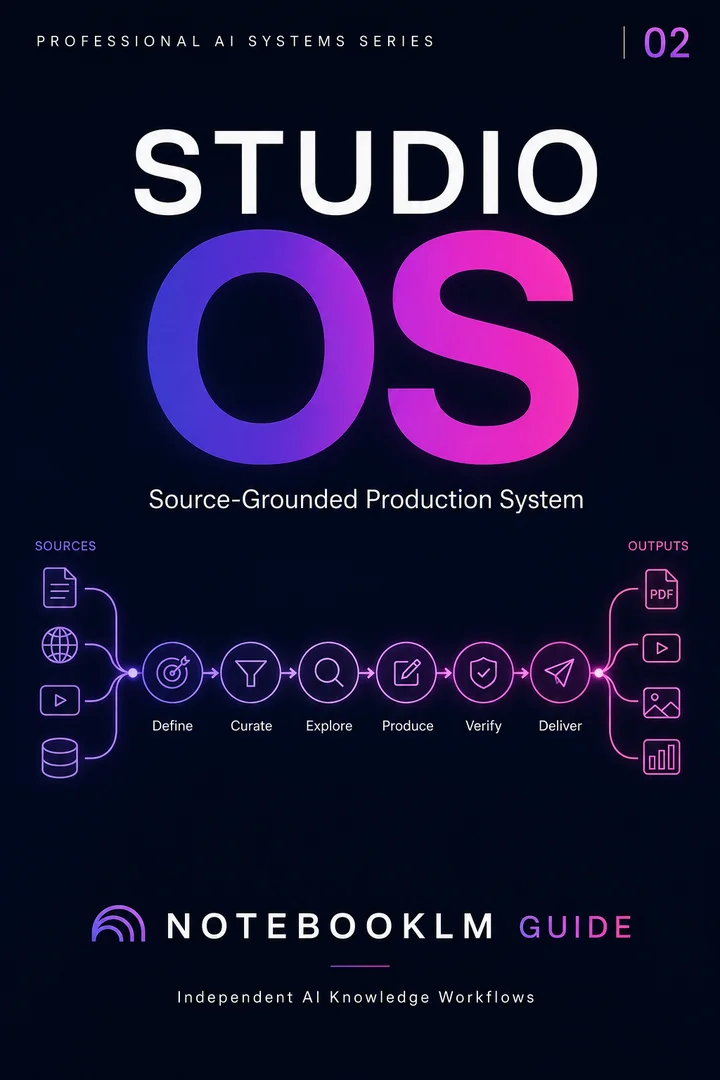
Studio OS organizes the handoff from trusted sources to audio, slides, visuals and presentation-ready outputs, with reusable prompts and verification steps.
Explore the Studio Collection for reusable research, briefing, critique, debate and teaching workflows. Review the product page for the current contents before purchasing.
Before uploading client, student, health, legal or employee information, remove unnecessary identifiers and use an approved organizational environment. Audio makes source content easier to consume; it does not reduce the sensitivity of the underlying material.