You're not generating slides. You're generating arguments. Slides are how the argument ships.
NotebookLM can produce a deck in 90 seconds. That's the easy part. The hard part is knowing what the deck has to do — who decides what after seeing it, what objection it has to neutralize, what action it has to extract. This page is the strategic framework that goes before the tactics. Make the 4 decisions first, then pick the workflow.
NotebookLM generates source-grounded slide decks from your documents via the Studio panel. The key isn’t the click — it’s deciding your argument, audience, and structure first, then prompting for it. Decks typically render in 60–90 seconds and export to Google Slides or PowerPoint (.pptx).
This is the consolidated master guide — it merges and expands our earlier slide-deck guides (the strategy framework and the tactical workflows) into one operating system. Everything from the previous versions lives here, now with the full PPAE pipeline and 80+ prompts.
The PPAE pipeline: 4 phases that power every workflow on this page
Every workflow on this page follows the same 4-phase PPAE architecture: Perceive (ingest and clean sources), Plan (detect gaps and build structure), Act (generate, debate, revise), Evaluate (score quality, audit bias, track progress). The agents adapt to the task — the framework is universal.
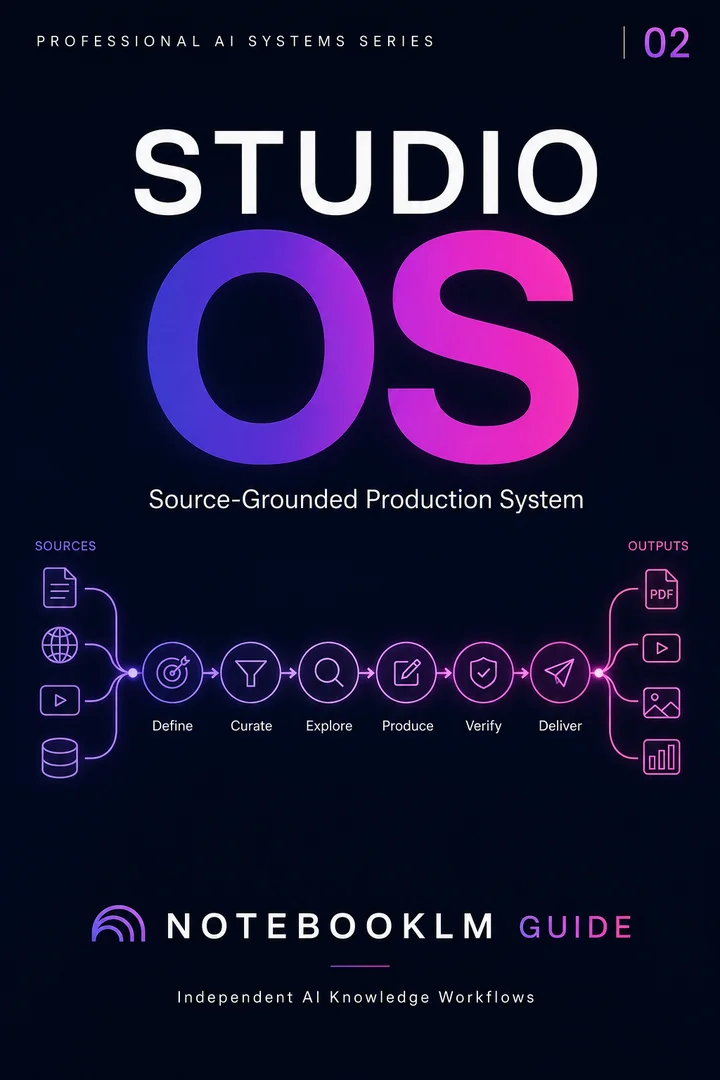
Studio OS
Turn a trusted source library into professional briefings, slides, visuals, and presentation-ready assets.
- Reusable, source-grounded workflow architecture
- Complete prompt library with implementation steps
- One-time purchase · permanent access
How to create slides in NotebookLM: Upload your sources (PDFs, Google Docs, YouTube URLs) to a notebook → Open the Studio panel → Click Slide Deck → Paste a custom prompt specifying audience, slide count, and tone → Click Generate. A full deck renders in 30–90 seconds for basic notebooks, up to 10 minutes for complex ones. Edit individual slides with the Pencil UI (natural-language revisions, 30 seconds per slide). Export as PPTX (editable in PowerPoint/Google Slides) or PDF. Every claim in the deck traces to your uploaded sources via retrieval-augmented generation (RAG).
Who needs a strategic deck framework before tactics?
Anyone whose deck has to drive a decision — not just inform. This page is the layer above tactics. Make the 4 decisions first, then pick the workflow.
Series B raise, 14-slide pitch
The pitch is not a company tour. It is a single argument: this round at this valuation makes sense because of this specific moment.
Board update or strategic recommendation
The board doesn't want a status report. They want a recommendation with the work shown.
Client deliverable, McKinsey-style
The deck is the deliverable. The argument structure is the value.
Course module, 8-12 slides per topic
Different mode entirely — the "decision" is whether the learner will engage with the next module.
Why strategy precedes tactics in NotebookLM slide work
NotebookLM has gotten so good at slide generation that the bottleneck has moved upstream. A deck generated without a brief is a tour of the sources. A deck generated from a brief is a weapon for a specific room.
The tactical pages — Instant Generation, Pencil Revisions, Advanced Workflows — all assume you have already made the strategic decisions. This page is the layer above.
1. NotebookLM is grounded by design. Every claim on every slide is citation-linked to a source. Uniquely suited to evidence-heavy decks.
2. The audience determines the format, not the content. Same source notebook can produce a Detailed Deck or Presenter Slides.
3. Generation is 10% of the work; revision is 90%. The first generated deck is never the final deck. The Pencil UI makes revisions cheap.
The 4 strategic decisions that define a NotebookLM deck
Make these 4 decisions before opening NotebookLM. Each decision narrows the next.
Who is the deck for?
What action does the deck need to drive?
Detailed Deck or Presenter Slides?
One-shot generation or iterative refinement?
The Deck Strategy Matrix: audience × action → workflow
The 4 decisions cross-reference into 16 possible deck types. This matrix routes each combination to the right tactical workflow.
| Audience ↓ / Action → | Decision | Alignment | Education | Persuasion |
|---|---|---|---|---|
| Executive boardroom | Trinity Engine | Trinity Engine | (rare) | Trinity Engine + follow-up |
| Internal review | Instant Generation | Instant Generation | Instant Generation | Pencil Revisions |
| Client deliverable | Advanced Workflows | Advanced Workflows | Advanced Workflows | Advanced + Trinity |
| Education / training | (rare) | Pencil Revisions | Instant Generation | Pencil Revisions |
Get the Boardroom Brief Cheat Sheet — free
The full 7-section brief template plus 5 audience-specific variants. Permanent PDF, instant delivery.
No spam · Unsubscribe anytime · 14,000+ operators on the list
From source notebook to shipped deck: the strategic flow
Same notebook, 4 strategic paths, 4 specialist workflows.
How long does NotebookLM take to generate slides?
| Deck Type | Sources | Time | Notes |
|---|---|---|---|
| Basic | 1-3 sources | 30-60 sec | No custom prompt, default formatting |
| Standard | 3-8 sources | 60-90 sec | Custom prompt, structured output |
| Complex | 10+ large sources | 3-10 min | Technical content, many citations |
| Heavy | 40+ pages, 100+ sources | 15-30 min | Runs in background, progressive render |
Workflow 2: Instant Slide Generation — 90 Seconds
NotebookLM generates a complete, source-cited slide deck from your uploaded documents in 60–90 seconds. Every claim traces to your sources. Here's the exact 6-step workflow.
Upload and organize your sources
Create a focused notebook. Add PDFs, Google Docs, YouTube URLs (auto-transcribed), pasted text. One topic per notebook. Pin your most important source for heavier weighting.
Open Studio panel → select Slide Deck
Click the Slide Deck tile. Choose: Detailed Deck (comprehensive, self-contained) or Presenter Slides (visual, talking points).
Paste a structured prompt
Use the free prompt below. Fill in bracketed placeholders: audience, slide count, format, density, tone. Never generate without a prompt.
Generate and review
Click Generate. Deck renders in 60–90 seconds. Click any underlined phrase to verify the source passage.
Revise specific slides
Click the pencil icon. Type natural-language revision. Queue across slides. Batch-apply in one pass. See Workflow 4: Pencil Revisions.
Export as PPTX or PDF
Click export icon. PPTX = editable text boxes in PowerPoint/Google Slides. PDF = fixed layout. Apply brand theme after export.
| Scenario | Time | Notes |
|---|---|---|
| Basic (1–3 sources) | 30–60 sec | Default format, minimal config |
| Standard (3–8 sources, custom prompt) | 60–90 sec | Most common use case |
| Complex (10+ sources) | 2–3 min | Progressive rendering |
| Heavy (100+ sources) | 15–30 min | Split large PDFs first |
| Revision pass | 30–60 sec | Faster than full regen |
Workflow 3: The 5-Dimension Prompt Formula
The difference between a generic AI deck and a boardroom-ready one is not the sources — it is the prompt. Production-grade prompts specify exactly 5 dimensions. Miss any one and the output reverts to generic.
Audience + Goal
"12-slide deck for a board of directors who need to approve a $2M budget increase" produces radically different output than "12 slides for a team standup."
Narrative Structure
McKinsey pyramid (answer first), academic arc (background → methods → results → discussion), problem-solution, or chronological. Declare explicitly.
Slide Density
"Max 3 bullets per slide, each under 12 words" vs. "comprehensive paragraphs with full citations." Density determines Detailed vs. Presenter.
Visual Logic
"After any slide with 3+ statistics, add [SUGGEST CHART: bar/line/scatter]." Without this, the model defaults to text-only.
Exclusion Rules
"No generic stock photo suggestions. No filler slides. No acknowledgment sections. No slides with fewer than 2 data points."
| Style | Structure | Title Rule | Best For |
|---|---|---|---|
| McKinsey Pyramid | Answer first → evidence | Conclusion headline | Board, exec, consulting |
| Minimalist Pitch | Problem → solution → ask | One bold claim | Fundraising, sales |
| Academic Conference | Background → methods → results | Finding + citation | Conferences, defense |
| Education/Training | Objective → concept → practice | Learning outcome | Lectures, workshops |
Workflow 4: Pencil UI Revisions — Fix Any Slide in 30 Seconds
You generated a 12-slide deck, 3 slides are wrong. Instead of regenerating all 12, fix only the 3 — in natural language, without losing the 9 good slides.
| Dimension | Old Workflow (Pre-2026) | Pencil UI (2026) |
|---|---|---|
| Editing model | Element-level: click text box | Prompt-based: describe changes |
| Scope | One element at a time | Queue across slides, batch-apply |
| To fix 3 slides | Regenerate all 12 (~15 min) | Revise only 3 (~90 sec) |
| Risk to good slides | High — regeneration changes all | Zero — unchanged preserved |
Generate your initial deck
Open Studio → Slide Deck → Generate. Review once without editing. Note which slides miss the mark.
Open the pencil on the first slide
Click pencil icon. Type revision instruction in plain language. Be directive: "Rewrite as a bold claim backed by the statistic" beats "make this more engaging."
Queue revisions across slides
Navigate to other slides. Add more requests. Each slide can hold multiple instructions — they stack.
Review the queue
Check revision queue panel for conflicts. All pending requests visible before generating.
Generate Revised Deck
All queued changes apply in one pass. Unchanged slides preserved exactly. Most decks reach final quality in 1 generation + 3–5 revisions.
The 6 revision types
Tone — rewrite for different audience. Structure — change layout (columns, problem/solution). Density — compress or expand. Data — add/replace specific statistics. Headline — topic label → action statement. Global — same rule across all slides.
Workflow 5: Multi-Agent Pipeline — 50+ Papers → Boardroom Deck
The closed-loop pipeline for complex research decks. 3 agents debate every slide. Confidence scoring. Bias audit. For when single-agent generation isn't enough.
Phase 1: Perceive — 5 minutes
50 PDFs uploaded. Source Curator produces inventory: 38 peer-reviewed, 12 preprints. 4 topic clusters. Gaps flagged: no post-2025 survey on agent architecture patterns.
Phase 2: Plan — 10 minutes
Gap Detection: 3 gaps identified. 5 hypotheses generated, ranked by evidence × impact × novelty. H1 (conf 0.85): multi-agent outperforms single-agent. H2 (conf 0.62): benchmarks insufficient. H3 (conf 0.41): open-source closing gap.
Phase 3: Act — 15 minutes
Build the workflow before buying a package
Get the AI Research Starter Kit: four workflows, 13 ready-to-use prompts, and a 7-day plan.
Slide 5 — Skeptic: "The 34% figure comes from a single survey with N=47. The confidence interval is wide. Also, Source [19] contradicts this with a 12% figure."
Slide 5 — Synthesizer: "Multi-agent architectures show 20-34% improvement on complex tasks, with the range reflecting methodology differences across 3 studies. Confidence: 0.72. Caveat: limited to code generation tasks."
Phase 4: Evaluate — 5 minutes
Bias audit: mild recency bias (80% sources < 2 years). Deck-wide confidence: 0.74. 1 slide flagged (conf 0.58) for human review. Total time: 35 minutes for 50-paper, 12-slide deck.
Input: Quarterly board update for Fortune 500 client
22 sources: market reports, financial data, competitor analysis, internal metrics.
Pipeline Output
12-slide Presenter Slides + 22-slide Detailed Deck appendix. Every claim cited by source ID. Confidence scorecard: 9/12 slides above 0.7. 3 slides revised after Skeptic flagged weak evidence. Bias audit: confirmation bias MEDIUM (only highlighted positive metrics). Fix: added risk slide with negative trends.
Final Score: 85/100 ✓
Workflow 6: Professional Pipeline — 5, 10, or 20 Minutes
Working professionals don't have 35 minutes. Choose your time mode:
4 niche pipelines for specialized decks
YouTube → Curriculum Deck
Add YouTube URLs (auto-transcribed), generate curriculum slides from lecture series.
VSL Production
Generate a slide deck structured as a VSL script. Screen-record with voiceover.
Conference Talk Synthesis
Combine multiple conference transcripts into a synthesis presentation.
Training Module Factory
Turn SOPs and procedures into interactive training decks with consistent format.
All 30 advanced templates: Advanced Workflows & Templates →
Go deeper
Studio Command Center
Every slide, audio, video and mind-map prompt — the workflows behind decks that hold a room.
Explore the Studio Prompt PackageOne-time · Lifetime access · No subscription
Export: PPTX, PDF, and what's coming next
| Format | Editability | Best For | Notes |
|---|---|---|---|
| PPTX | Fully editable | Post-export design | New in 2026. Opens in PowerPoint & Google Slides. |
| Fixed layout | Handouts, print | Preserves formatting exactly as generated. | |
| Google Slides | Native editable | Collaborative editing | Coming soon. Currently: PPTX → Google Slides. |
NotebookLM slides vs. alternatives
| Feature | NotebookLM | Gamma | Beautiful.ai | Canva |
|---|---|---|---|---|
| Source-grounded (RAG) | ✓ Every claim cited | ✗ Prompt-based | ✗ Template-based | ✗ Manual |
| Generation time | 30-90 sec | 60-120 sec | 30-60 sec | Manual |
| Custom prompts | ✓ Full control | ✓ Limited | ✗ Template only | ✗ |
| PPTX export | ✓ Editable | ✓ | ✓ | ✓ |
| Natural-language edits | ✓ Pencil UI | ✓ Basic | ✗ | ✗ |
| Free tier | ✓ Fully free | Limited | Trial only | Limited |
The four habits that separate a strategic deck from a generated deck
Write the brief before you open NotebookLM
Ten minutes writing the brief saves three hours regenerating the deck. Generation without a brief produces a tour; with a brief produces a weapon.
Pick A/B/C/D in each decision — not a blend
"Mostly internal review but also a bit executive" produces a deck for neither audience. Be specific.
Generate Presenter Slides first
Low-text-density mode reveals structural weakness. If the argument doesn't hold at 6 words per slide, adding 30 more hides the weakness.
Regenerate before you Pencil-edit
Pencil Revisions is for slide-level polish, not structural problems. If the deck has a wrong spine, sharpen the brief and regenerate.
What strategic deck design doesn't fix
The brief cannot substitute for the underlying argument. If the source material does not contain a coherent position, no brief will manufacture one.
Audience uncertainty kills strategic decks. If you don't know who the audience is, build a Detailed Deck rather than Presenter Slides.
The framework is heavier than tactical pages. For low-stakes decks, use Instant Generation directly.
The full Studio Collection — 180+ pages across every NotebookLM Studio output
The Boardroom Brief Generator above is the strategic on-ramp. The Studio Collection is the full operational library.
Slide Deck Strategies
🔒 4 promptsBrief generators by audience, evidence arsenal templates, opening-move libraries, closing-close patterns.
Audio Overview Production
🔒 4 promptsVoice direction, pacing prompts, two-host debate formats, single-narrator deep dive.
Infographic & Diagram Briefs
🔒 4 promptsSpecification prompts for charts, process flows, 2×2s, and stakeholder maps.
Video Overview Scripting
🔒 4 promptsScripted narratives for the new video overview format.
Mind Map & Knowledge Quiz
🔒 4 promptsCourse modules, internal training, learner assessment.
Cross-Studio Orchestration
🔒 4 promptsGenerate every Studio output from one source notebook in a single session.
Frequently Asked Questions
35 questions covering every aspect of NotebookLM slide decks.
30 Killer Prompts for Slide Deck Mastery
6 free prompts above. 30 more below — organized by workflow phase. Each tested across 200+ iterations.
Unlock the Complete Slide Deck Prompt Collection
Strategy prompts · Generation templates · Revision scripts · Multi-agent debate protocols · Professional time-mode variants · McKinsey/pitch/academic/education styles
$24.99 · Studio Collection · one-time · permanent access
Explore the Studio Prompt Packageor Connect Studio outputs to the complete workflow → for every prompt on the site
Get the 4 practical AI research workflows — free
The AI Research Starter Kit: four workflows, 13 ready-to-use prompts, and a 7-day plan. Instant delivery.
30 copy-ready AI prompts · one PDF
Thirty prompts you can paste today, sorted across research, content, Studio outputs and multi-AI work. Instant access. No credit card.