Major OS editions rebuilt · Current pricing ends August 31Explore the upgraded OS Library →

TL;DR — Choose the Audio Overview format before writing the prompt. Then specify listener, purpose, evidence focus, exclusions and ending. The ten examples below are structured templates—not claims of guaranteed output.

Verified 2026-07-28. Format names and the View custom prompt workflow follow Google’s current help documentation. See sources →

Audio Prompt Library · Free10 structured examples · RC14.54

NotebookLM Audio Overview Prompts

Ten copyable prompt structures organized by Deep Dive, Brief, Critique and Debate—with the recommended source set, expected result and the fix when the first generation misses the point.

Prompt examples10 complete templates
FormatsAll four current formats
IterationGenerate → inspect → refine

Direct answer: A strong Audio Overview prompt defines who is listening, what job the audio must perform, which evidence matters, what to exclude, and how it should end. The selected source set and format usually matter more than prompt length.

Use Deep Dive for synthesis · Brief for compression · Critique for evaluation · Debate for competing perspectives

Choose the format before the prompt

Explain and connectDeep Dive

Best for learning, research synthesis, onboarding and technical explanation.

CompressThe Brief

Best for executive orientation, meeting preparation and rapid takeaways.

EvaluateThe Critique

Best for drafts, proposals, design documents, policies and implementation plans.

CompareThe Debate

Best for competing explanations, tradeoffs and genuine evidence-based disagreement.

Your goalFormatPrompt verbAvoid
Understand relationshipsDeep DiveExplain, connect, traceAsking for a two-minute summary
Get ready quicklyBriefPrioritize, compress, recommendRequesting comprehensive coverage
Improve a draftCritiqueEvaluate, diagnose, prioritizeAsking the hosts to rewrite everything
Explore disagreementDebateCompare, challenge, steelmanManufacturing false balance

The six-part prompt structure

Listener

Name the person’s existing knowledge, role and reason for listening.

Outcome

State the decision, understanding or revision the audio should enable.

Evidence focus

Name the claims, sections, risks, examples or disagreements that deserve attention.

Expertise level

Specify how much terminology to preserve and what must be explained.

Exclusions

Remove background, hype, unsupported speculation or details that do not change the outcome.

Ending

Ask for a decision, next action, uncertainty, glossary or final takeaway.

10 Audio Overview prompt examples

Replace bracketed variables, select the recommended source type, and change only the variables that matter. Do not combine all ten jobs into one generation.

01 · Study review before an exam
Deep DiveCourse notes + assigned chapter
Create a Deep Dive for a student preparing for an exam on these sources. Organize the conversation around the five concepts most likely to be confused with one another. For each concept, define it plainly, connect it to at least one other concept, give one source-grounded example, and flag one common misconception. Do not invent exam questions or facts not supported by the selected sources. End with a three-minute verbal review plan and the single concept the listener should revisit in the source.
Expected result
A connected review rather than a chapter-by-chapter recap.
Common failure and fix
If the audio becomes encyclopedic, select only the sources for one unit and name the exact exam scope.
02 · Executive decision briefing
The BriefDecision memo + current metrics + risk note
Create a Brief for a senior decision-maker with less than two minutes. Start with the decision that must be made. State the three source-grounded facts that most affect it, the two largest risks, and the assumption most likely to fail. Exclude history that does not change the decision. End with one recommended next action and one unresolved evidence question.
Expected result
A compressed decision frame with risks and next action.
Common failure and fix
If the output is still descriptive, put the decision in the first sentence of the prompt and remove background-only sources.
03 · Literature comparison
The DebateTwo or more papers representing different explanations
Create a Debate that explores the strongest competing explanations in these sources. Assign each host a defensible position based on the evidence rather than a caricature. Require each side to state its best evidence, acknowledge its weakest point, and respond to the strongest counterargument. End by separating genuine disagreement from differences in method, sample or definition.
Expected result
A fair comparison that surfaces why sources disagree.
Common failure and fix
If the hosts create false balance, specify which claims have stronger evidence and ask them not to treat unsupported positions as equal.
04 · Essay or design-document feedback
The CritiqueDraft + rubric or design requirements
Create a Critique of this draft using the selected rubric or requirements as the evaluation standard. Identify the three strongest choices, the three highest-impact weaknesses, and the revision that would improve the result most. Distinguish problems of evidence, logic, organization and presentation. Be constructive and specific. Do not rewrite the entire document. End with a prioritized revision sequence.
Expected result
Actionable feedback tied to explicit criteria.
Common failure and fix
If feedback is vague, include the rubric as a source and name the audience and submission goal.
05 · Meeting preparation
The BriefAgenda + latest report + prior decisions
Create a Brief for someone entering this meeting in ten minutes. State the meeting objective, what changed since the last decision, the numbers or evidence that matter, the likely point of disagreement, and the decision or commitment needed today. End with three questions the listener should ask. Exclude information that will not affect the meeting.
Expected result
A practical pre-meeting briefing.
Common failure and fix
If it repeats the agenda, add the last meeting notes and ask specifically what changed.
06 · Policy or implementation review
The CritiquePolicy text + implementation plan + stakeholder feedback
Create a Critique focused on implementation risk. Evaluate whether the policy language, operating process and stakeholder assumptions are aligned. Identify contradictions, undefined responsibilities, missing evidence and likely failure points. Separate what the sources explicitly state from what must be inferred. End with the five clarifications required before launch.
Expected result
A gap analysis rather than a generic summary.
Common failure and fix
If it becomes legalistic, specify that the output is operational review, not legal advice.
07 · Technical concept for non-experts
Deep DiveTechnical documentation + one introductory source
Create a Deep Dive for an intelligent listener with no specialist background. Explain the core mechanism in plain language, preserve the essential technical terms, and use one analogy only when it maps accurately to the source. Build from problem → mechanism → example → limitation → practical implication. End with the one misunderstanding the listener should avoid.
Expected result
A progressive explanation that stays faithful to the source.
Common failure and fix
If jargon remains high, specify the listener’s exact background and list terms that must be defined.
08 · Controversial topic without false balance
The DebateEvidence from credible sources with different conclusions
Create a Debate that steelmans the strongest evidence-based positions in these sources. Do not manufacture symmetry: clearly state when one claim has more support, when evidence quality differs, or when a position is not represented by credible source material. Require each host to identify uncertainty and what evidence would change its conclusion.
Expected result
A rigorous debate that preserves evidence asymmetry.
Common failure and fix
If the hosts become theatrical, ask for formal tone and evidence before rhetoric.
09 · Multilingual explanation
Deep DiveSources in one or more languages
Create a Deep Dive in [OUTPUT LANGUAGE] for [AUDIENCE]. Preserve the original-language names and technical terms where translation would reduce precision, then explain each term in the output language. Focus on [TOPICS]. Do not translate quotations unless their meaning can be preserved. End with a bilingual glossary of the ten terms most important for understanding the sources.
Expected result
A localized explanation that preserves key terminology.
Common failure and fix
If terminology drifts, list the words that must remain untranslated and reduce the number of source languages.
10 · Podcast-style narrative prototype
Deep DiveResearch pack + timeline + key examples
Create a Deep Dive that tests a podcast-style narrative before human production. Open with the central tension, move through the evidence in a clear causal or chronological arc, and use only examples supported by the selected sources. Keep the hosts analytical rather than promotional. End with the one idea the listener should remember and list any missing evidence that prevents a confident conclusion.
Expected result
A narrative prototype that reveals the strongest sequence and research gaps.
Common failure and fix
If it sounds like marketing copy, prohibit hype and require the hosts to identify uncertainty and counterevidence.

Use “View custom prompt” as a feedback loop

Generate a first version

Use a focused source set and one clear outcome rather than trying to perfect the prompt before hearing any result.

Listen for one failure type

Was the problem focus, depth, evidence selection, expertise level, tone or ending?

Open View custom prompt

In the Studio panel, open the three-dot menu beside the artifact and inspect the prompt associated with it.

Change one or two variables

Refine the source selection or prompt. Avoid changing everything at once, because you will not know what improved the result.

Regenerate and compare

Keep the stronger version and record the prompt pattern for future notebooks.

Questions for Interactive Mode

Clarify

Explain the mechanism

“Explain that mechanism again using one concrete example from the selected sources.”

Verify

Locate the evidence

“Which selected source supports that claim, and what limitation does the source state?”

Compare

Surface disagreement

“Where do the two strongest sources disagree, and is the difference caused by evidence, method or definition?”

Apply

Move to action

“What changes in practice if this conclusion is correct, and what should be verified first?”

Availability: Google currently documents Interactive Mode as English-only and available only for newly generated Audio Overviews. Shared listeners cannot join the interaction.

Why Audio Overview prompts fail

Most common

The notebook is too broad

Signal
The hosts mention many topics but explain none well.
Fix
Select only the sources needed for one listening outcome.
Format mismatch

The prompt fights the format

Signal
A Brief is asked to be comprehensive, or a Debate is asked to reach immediate consensus.
Fix
Choose the format that naturally performs the requested job.
Too many priorities

Everything is “most important”

Signal
The output jumps between audience, tone, examples, critique and action.
Fix
Name one primary outcome and no more than three evidence priorities.
Weak evidence

The sources cannot support the ask

Signal
The hosts become vague or infer details that are not present.
Fix
Add the missing source or reduce the claim the audio is expected to make.

Do not use a prompt to hide the wrong output choice

Use a written table when exact numbers and side-by-side comparisons matter.
Use the original text for legal, tax, compliance or policy wording that requires word-level precision.
Use a visual output when diagrams, maps, charts or spatial relationships carry the meaning.
Use source citations when the task requires quoting or verifying a specific passage.

Audio prompt FAQ

How long should an Audio Overview prompt be?

Long enough to define listener, outcome, evidence focus, exclusions and ending. A shorter coherent prompt with focused sources usually beats a long prompt attached to an unfocused notebook.

Can a prompt change the expertise level?

Yes. Google’s generation panel allows prompts that focus on specific topics or adjust the expertise level.

How can I see the prompt used for an existing audio?

Open the three-dot menu next to the artifact in the Studio panel and select View custom prompt.

Can I make the hosts cite sources aloud?

You can ask them to identify the evidence, but spoken output should not be treated as a precise citation system. Verify the claim in the notebook’s quotes and source citations.

Official sources and verification notes

Google Help

Generate Audio Overview

Formats, prompts, language, playback, sharing, Interactive Mode and known limitations.

Open official help →
Google Help

Plans and usage limits

Current daily Audio Overview caps by Standard, Plus, Pro and Ultra plan.

Open official limits →
Google Help

Output language

How Gemini Notebook selects and changes the language used by generated artifacts.

Open language help →
Google Blog

Multilingual Audio updates

Background on the rollout of fuller Audio Overviews across more than 80 languages.

Read the announcement →

Verified 2026-07-28. Product behavior and quotas can change without a page redesign. Where Google does not publish a fixed value, this guide labels the item as undocumented rather than guessing.

Studio OS · Audio Overview prompt library

Turn two free prompts into a reusable production system

The Studio Collection adds 28 Audio Overview prompts for research, executive briefings, critiques, debates, teaching and Interactive Mode—30 total with the two free templates on this page.
Research Deep Dives · 6
Executive Briefs · 5
Critique Workflows · 5
Evidence Debates · 4
Teaching Audio · 4
Interactive Steering · 4
$19.99
$19.99 · one-time · permanent access
Unlock Studio Collection →
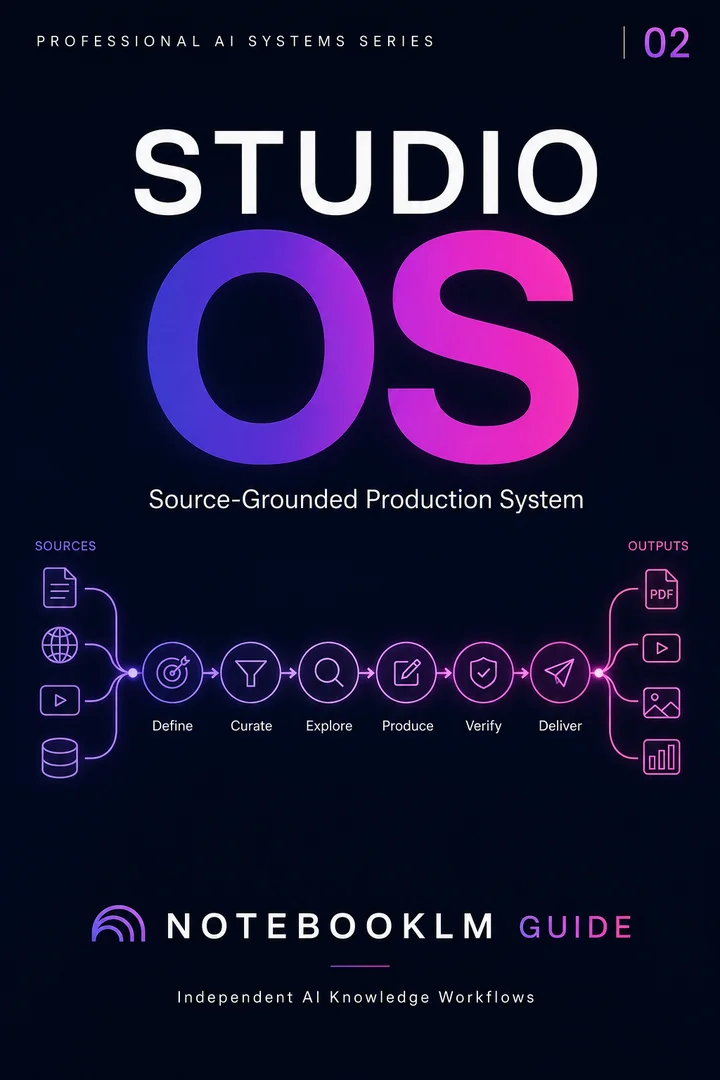
Studio OS cover
Next step · Studio OS

Studio OS

Turn a trusted source library into professional briefings, slides, visuals, and presentation-ready assets.

  • Reusable, source-grounded workflow architecture
  • Complete prompt library with implementation steps
  • One-time purchase · permanent access

Privacy and responsible AI use

Before uploading client, student, health, legal or employee information, remove unnecessary identifiers and use an approved organizational environment. Audio makes source content easier to consume; it does not reduce the sensitivity of the underlying material.

Open Privacy Hub →