NotebookLM Limits 2026: Free vs Plus vs Pro—Sources, Slides, Videos & Audio
Yes—NotebookLM has plan, source, file and AI usage limits. Compare every published number for Standard, Plus, Pro and Ultra, including the new 5-hour AI usage refresh and weekly cap.
Google renamed the product Gemini Notebook in July 2026. This guide retains NotebookLM in its title because users still search for and recognize that name.
Last verified · Official / tested / reported evidence labeled separately · Limits subject to change
NotebookLM Limits Explained: Sources, Files, Resets and the 5-Hour Window
A walkthrough of every Gemini Notebook cap by plan — what upgrading raises, what it never raises, and how the compute-based five-hour window changes daily planning.
Gemini Notebook now uses compute-based AI limits that generally refresh every 5 hours until you reach a weekly limit. Prompt complexity, model choice, conversation length, the number of sources and the features you use can affect usage. Google’s upgrade table still publishes plan-level daily and monthly feature quotas; fixed capacities such as notebooks, sources and file size do not refresh.
Quick answer: current consumer limits
Limit
Standard (free)
Plus
Pro
Ultra
Sources / notebook
50
100
300
500–600
Local file size
200 MB
200 MB
200 MB
200 MB
Words / source
500,000
500,000
500,000
500,000
Published chats
50/day
200/day
500/day
2,500–5,000/day
Published Audio Overviews
3/day
6/day
20/day
100–200/day
Published Video Overviews
3/day
6/day
20/day
100–200/day
AI usage level
Standard
2× Standard
4× Standard
5×–20× Pro
AI usage refresh
About every 5 hours, until the account reaches its weekly limit
Official published by GoogleTested hands-on check, dated and account-specificReported user observation, not a guarantee
Last verifiedSeptember 2, 2026New usage sourceGoogle usage limits ↗Capacity sourceGoogle FAQ ↗ImportantCheck Settings → Usage for your account’s remaining AI usage, weekly balance and exact refresh time.
What changed since the previous verification? · September 2, 2026
NotebookLM now layers compute-based AI usage on top of published feature quotas
The new policy changes how reset messages should be interpreted. A five-hour AI refresh, a weekly ceiling, published 24-hour/30-day feature quotas and fixed capacity limits can all coexist.
5-hour AI refresh: Compute-based AI usage generally refreshes every five hours until the account reaches its weekly limit.
Variable usage cost: Google says prompt complexity, chat length, the number of sources and the features you use can affect the compute budget; its Help page also identifies the models used as a factor.
Weekly ceiling: A new five-hour window does not mean unlimited weekly use; check Settings → Usage for the remaining balance.
Published quota resets remain: Google still says daily quotas reset after 24 hours and monthly quotas after 30 days.
Plan multipliers: Plus provides 2× Standard AI usage, Pro 4× Standard, and Ultra 5× or 20× Pro, depending on the subscription.
Alternative outputs: NotebookLM may suggest a different output when the first choice would exceed the available compute budget.
Generate later: On the web, users who are out of AI limits can defer eligible Studio generations. Google says they may take a couple of hours, generate automatically later, and can trigger a notification when ready.
Consumer rollout: Google began rolling the change out to consumer accounts on web and mobile starting September 2, so availability can arrive in stages.
Fixed capacity unchanged: Notebook, source, word and file-size ceilings remain separate and do not reset with time.
Most-searched answers
Quick answers to the most-searched NotebookLM limit questions
Each answer links to the complete category rather than mixing capacity questions with error repair.
Does NotebookLM Have a Limit?
Yes. NotebookLM limits notebooks, sources, file size, published feature quotas and compute-based AI use. Since September 2, 2026, AI usage generally refreshes every five hours until the account reaches a weekly limit. Exact availability varies by subscription plan and workload.
NotebookLM supports 50 sources per notebook on Standard, 100 on Plus, 300 on Pro, 500 on Ultra 20 TB and 600 on Ultra 30 TB. Sharing a notebook does not increase its source limit, and each notebook has an independent cap.
Each NotebookLM source can contain up to 500,000 words, and each local upload can be up to 200 MB. Google publishes no universal PDF page limit. Upgrading raises notebook, source and usage capacity but does not raise this single-source ceiling.
There is no single reset clock anymore. Compute-based AI usage generally refreshes every five hours until the weekly ceiling. Separately, Google says its published daily feature quotas reset after 24 hours and monthly quotas after 30 days. Fixed notebook, source and file limits do not reset.
NotebookLM Standard includes 100 notebooks, 50 sources per notebook, 500,000 words per source and 200 MB per local upload. Google’s plan table also lists 50 chats and 3 Audio Overviews per day, while actual AI availability is subject to compute-based and weekly limits.
Google does not publish a fixed NotebookLM chat-prompt, character or context-window limit. It does publish a 500,000-word ceiling for each source. Shorter, structured prompts are usually more reliable, while long or complex requests can consume substantially more compute-based AI usage.
You can create 100 notebooks on Standard, 200 on Plus, and 500 on Pro or Ultra. This is fixed account capacity rather than refreshable AI usage. Deleting a notebook frees capacity; waiting for an AI usage reset does not.
These values are reproduced from Google’s current upgrade table. They remain useful for comparing plans, but refreshable AI access is also governed by the newer compute-based system and weekly limit.
Swipe horizontally to compare every plan →
Published NotebookLM consumer-plan capacities and U.S. monthly prices
Limit
Standard $0
Plus $9.99
Pro $24.99
Ultra 20 TB $99.99
Ultra 30 TB $199.99
Notebooks per user
100
200
500
500
500
Sources per notebook
50
100
300
500
600
Words per source
500,000
500,000
500,000
500,000
500,000
Local upload size
200 MB
200 MB
200 MB
200 MB
200 MB
Chats per day
50
200
500
2,500
5,000
Audio Overviews per day
3
6
20
100
200
Video Overviews per day
3
6
20; cinematic 2
100; cinematic 10
200; cinematic 20
Reports per day
10
20
100
500
1,000
Flashcards per day
10
20
100
500
1,000
Quizzes per day
10
20
100
500
1,000
Mind Maps per day
10
20
100
500
1,000
Deep Research
10/month
3/day
20/day
75/day
200/day
Data Tables
Limited
More limits
High limits
Higher limits
Highest limits
Infographics
Limited
More limits
High limits
Higher limits
Highest limits
Slide Decks & revisions
Limited
More limits
High limits
Higher limits
Highest limits
How to read this table: Numeric rows are published plan quotas, not a live meter. Your actual remaining AI usage can fall sooner when work is compute-intensive. Check Settings → Usage for the current account balance. Google also labels all limits “subject to change.”
Published in Google’s current NotebookLM help documentation.
Tested
Hands-on NotebookLM Guide check. A test must name its date and account context; it is not an official quota.
Reported
User or community observation. Useful as a signal, never presented as a guaranteed limit.
Not published
Google has not provided a fixed public number, so this guide does not invent one.
Source-specific rules
NotebookLM limits by source type
The 500,000-word and 200 MB ceilings are only part of the import picture. Google publishes additional rules for Slides, Sheets, YouTube, websites and Drive.
Swipe horizontally to compare source types →
NotebookLM source-type limits and import rules
Source type
Published limit or rule
Practical consequence
Uploaded sources
Up to 500,000 words or 200 MB per source
These ceilings apply across supported uploaded source types. Google states that inactive sources still count towards source limits even though they are not referenced in the notebook — deselecting a source does not free its slot.
Google Slides
Up to 100 slides per source
Split a larger presentation before importing it.
Google Sheets
Up to 100,000 tokens per source
Reduce or split very large sheets; this is a token limit, not a row count.
YouTube
Public video with captions; transcript only
Videos uploaded within the past 72 hours may be unavailable. There is no separate duration cap unless the transcript exceeds 500,000 words.
Web URL
Text from the linked page only
Images, embedded media, nested pages and paywalled content are not imported.
Google Drive
View access or higher is required
An inaccessible Drive source can still occupy a source slot but will not be referenced in chat or Studio output.
Copy-protected PDF
Will not import on any plan
Google lists this as one of three official import-failure causes, alongside the 500,000-word and 200 MB ceilings. No paid tier removes it — the file must be unprotected first.
Multi-tab Google files
All tabs import as one source
Data from multiple tabs in Google Docs and Sheets is pulled in as a single source, so a many-tab workbook costs one slot, not one per tab.
Google Play Books
Eligible ebooks can be added
Books from Google Play can be imported as sources; eligibility varies by title.
Google files
Footnotes and comments are not imported
Move essential annotations into the document body before adding the source.
Audio from Drive
Direct Drive import is not supported
Download the audio, then upload a supported audio file directly.
Import quality check: After adding a source, confirm it is accessible and produces citations before relying on it. A source that consumes capacity but cannot be referenced is a silent failure mode.
Does NotebookLM read every source? How to work around the source limit
Capacity tells you how many sources may be stored. Google does not promise that every selected source will be cited in every response.
Capacity ≠ complete coverage. Select the smallest relevant source set for high-stakes questions, inspect the citations, and ask for an explicit coverage table when omissions would matter.
Copy this source-coverage prompt
Create a source-coverage table with one row for every selected source. For each source, report either: (a) relevant evidence with a citation, or (b) “no relevant evidence found.” Do not omit a selected source.
1. Combine related documents
Merge small, closely related files into labeled source packets. This saves slots, but you lose some source-level citation granularity.
2. Partition by theme
Create separate notebooks for distinct themes or phases. NotebookLM cannot query across notebooks in one answer.
3. Build a synthesis notebook
Export a verified summary from each themed notebook, then import those summaries into a master notebook. Preserve links back to the original evidence.
4. Upgrade for traceability
Pay for a higher tier when many sources must remain separate and independently citable—not merely because you have many small files.
Quality tradeoff: More sources do not automatically improve an answer. Focused selection and citation review usually matter more than filling every available slot. See Source Organization → for a deeper workflow.
Next step · Research OS
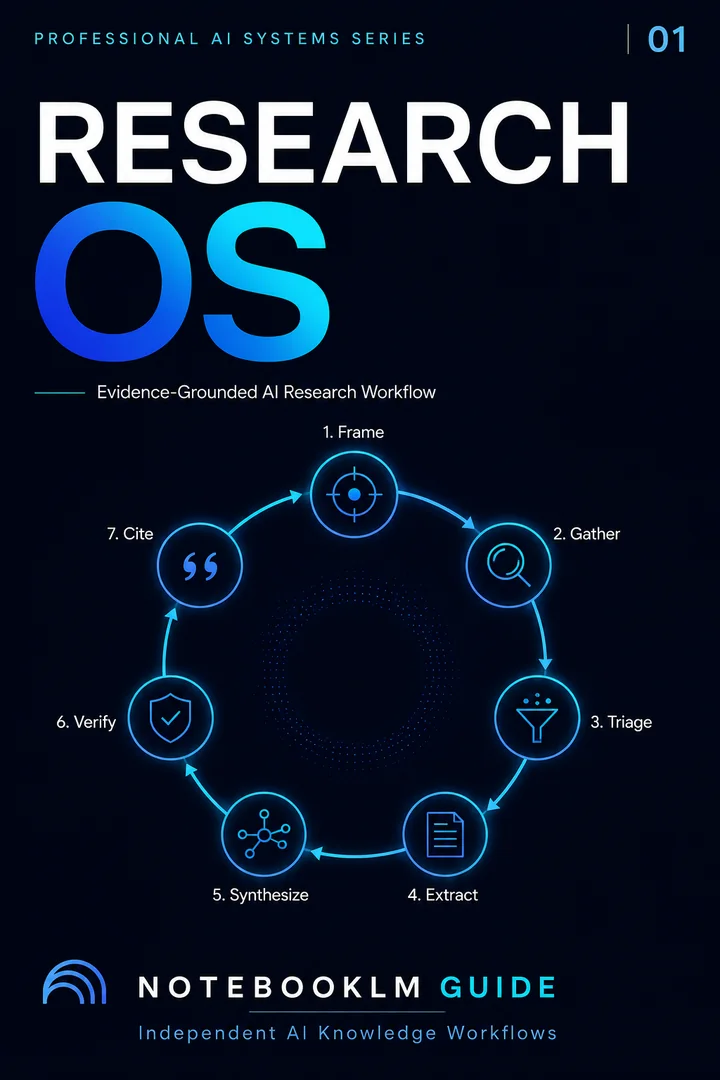
Research OS
A traceable, source-grounded research system — from question framing through verified, citation-ready synthesis.
Type a feature, plan or capacity. Matching rows and cards remain highlighted.
Showing all limit categories.
Capacity limits
How many sources can NotebookLM handle?
Maximum sources per notebook range from 50 to 600 by plan. For PDFs and other local uploads, the file-size ceiling is 200 MB and the text ceiling is 500,000 words per source; Google publishes no universal PDF page-count limit.
NotebookLM PDF and file-size limit: A local upload can be up to 200 MB or 500,000 words per source. Google says there is no page limit, so PDF page count is not the controlling ceiling.
Notebooks100–500
Standard 100; Plus 200; Pro and both Ultra tiers 500 per user.
Sources50–600
Standard 50; Plus 100; Pro 300; Ultra 500 or 600 per notebook.
Local file size200 MB
The documented per-source local-upload ceiling is unchanged by upgrading.
Text per source500,000 words
Google publishes no universal page limit; page count depends on text density.
Swipe horizontally to compare capacity →
NotebookLM capacity limits that do not reset with time
Capacity
Published rule
What it means
Notebooks per account
100–500 by plan
Creating or deleting notebooks changes occupied capacity; waiting does not.
Sources per notebook
50–600 by plan
Each notebook is independent, and sharing does not expand the source cap.
Words per source
500,000
Applies to every documented consumer tier.
Local upload size
200 MB
Upgrading does not raise the single-file ceiling.
PDF page count
Not published
Use the word and file-size ceilings instead of assuming one page maximum.
Combined NotebookLM storage
Not published
Google does not publish one account-wide storage allowance. Practical capacity is defined by notebooks per account, sources per notebook, 500,000 words per source and the 200 MB local-upload ceiling.
Supported file types and limits: Supported imports still follow the same per-source word and local-upload ceilings. Unsupported, inaccessible or failed imports belong in NotebookLM Troubleshooting →
Capacity is not context. A notebook may contain many sources, but Google does not publish a separate fixed number describing how much source content is processed in every response. Source selection and the question still affect output quality.
Compute-based AI usage · Effective September 2, 2026
When do NotebookLM limits reset now?
AI usage generally refreshes every 5 hours until you reach a weekly limit. The amount consumed varies with prompt complexity, model and feature choice, conversation length, the number of sources and the features you use. Google does not publish a per-source or per-prompt cost formula.
Compute-based AI usageRefreshes about every 5 hours
The interface shows the account-specific return time for immediate AI usage.
Weekly AI ceilingWeekly balance
Five-hour refreshes continue only while weekly capacity remains. Check Settings → Usage.
Published daily quotasReset after 24 hours
Google still publishes daily feature quotas for chats, Audio, Video, reports and other features.
Published monthly quotasReset after 30 days
Monthly quotas, such as Standard Deep Research, use a separate 30-day reset period.
Fixed capacityDoes not reset
Notebook count, sources per notebook, words per source and file-size ceilings require deletion, restructuring or a higher-capacity plan.
Why does Google say both “5 hours” and “24 hours”? They describe different layers. The September 2 usage policy adds compute-based AI availability that generally refreshes every five hours until a weekly ceiling. Google’s separate upgrade table still publishes feature quotas and explicitly says daily quotas reset after 24 hours and monthly quotas after 30 days. Treat the numeric table as published plan capacity—not a guarantee that every account will always reach those counts before a compute-based warning appears.
Swipe horizontally to compare Google’s published feature quotas →
Published plan feature quotas, separate from compute-based AI usage
Feature
Standard
Plus
Pro
Ultra 20 TB
Ultra 30 TB
Chats
50/day
200/day
500/day
2,500/day
5,000/day
Audio Overviews
3/day
6/day
20/day
100/day
200/day
Video Overviews
3/day
6/day
20/day + 2 cinematic
100/day + 10 cinematic
200/day + 20 cinematic
Reports
10/day
20/day
100/day
500/day
1,000/day
Flashcards / Quizzes / Mind Maps
10/day each
20/day each
100/day each
500/day each
1,000/day each
Deep Research
10/month
3/day
20/day
75/day
200/day
Generate later: This option is currently web-only. When you are out of AI limits, eligible Studio artifacts can be deferred instead of generated immediately. Google says deferred generation may take a couple of hours, runs automatically later, and can notify you when the output is ready if notifications are enabled.
NotebookLM quiz, flashcard, infographic, audio and video limits
Google’s plan table publishes exact daily counts for some outputs and qualitative tiers for Data Tables, Infographics and Slide Decks. Actual availability also depends on the account’s compute-based AI usage and weekly limit.
Official number
Audio Overviews
3, 6, 20, 100 or 200 per day across the five consumer tiers.
Official number
Video Overviews
3 to 200 per day; Pro and Ultra also list separate cinematic quotas.
Official number
Reports
10 to 1,000 per day, depending on consumer plan.
Official number
Study tools
Flashcards, Quizzes and Mind Maps each range from 10 to 1,000 per day.
Official number
Deep Research
Standard: 10/month. Paid tiers: 3 to 200/day.
Qualitative tier
Data Tables
Limited → More → High → Higher → Highest. No exact public count.
Qualitative tier
Infographics
Limited → More → High → Higher → Highest. No exact public count.
Qualitative tier
Slide Decks
Limited → More → High → Higher → Highest. Revisions consume deck quota.
If your first-choice output exceeds the available compute budget: Google says Gemini Notebook can suggest an alternative output rather than simply ending the workflow. The announcement does not publish a fixed cost for each artifact type, so treat the Studio usage bar as a relative estimate rather than a conversion table.
One-time automatic starter artifacts may be exempt: Google says some users may see a report, flashcards, infographic, Slide Deck, Audio Overview or Video Overview created automatically when sources are first added. Those one-time automatic generations do not contribute to limits.
These queries are common, but they do not all have official numeric answers. This section distinguishes published capacity from model-level assumptions.
Not publicly documented
NotebookLM token or context-window limit
Google’s current NotebookLM limits table does not state one fixed token or context-window number. Do not substitute a general Gemini app context figure: NotebookLM also applies source selection, notebook capacity and product-specific retrieval behavior.
Not publicly documented
Prompt character or word limit
Google does not publish a fixed public character or word maximum for NotebookLM chat prompts or Studio custom instructions. For reliability, use a clear objective, selected sources, constraints and required output rather than one oversized instruction block.
Documented behavior
What enters a NotebookLM chat?
Google explains that selected sources and conversation history are used to generate responses; notes are included when specifically selected. This describes input behavior, not a published token ceiling.
Practical interpretation
Does every answer use every source equally?
No public specification promises equal treatment of every source in a large notebook. Choose the relevant source subset when precision matters and treat maximum capacity as storage, not a guarantee of ideal reasoning quality.
Published character limits for NotebookLM prompts and custom instructions
Google does not currently publish fixed character counts for these input fields.
Published character limits for NotebookLM prompts and Studio custom instructions
Input field
Published character limit
NotebookLM chat prompt
Not published
Slide Deck custom prompt
Not published
Audio Overview custom instructions
Not published
Video Overview custom instructions
Not published
High-demand query cluster
How many Slide Decks can you create in NotebookLM?
Google does not currently publish one exact Slide Deck count. Its limits table uses qualitative tiers—Limited, More, High, Higher and Highest—so any exact decks-per-day number should be labeled as a dated test or user report, not an official limit.
Qualitative
How many decks can I generate?
Google publishes plan tiers—Limited, More, High, Higher and Highest—not exact consumer deck counts.
No fixed number
How many slides can one deck contain?
Google offers short, default and long deck length controls but does not publish one universal maximum slide count.
Multiple minutes
How long does generation take?
Google says Slide Deck generation may take multiple minutes. Output length, source density and service demand can change the wait; Google publishes no universal completion time.
Revision rule: Google says there is no limit to the number of individual slides you can revise inside a deck, but each revised-deck generation creates a new deck and uses quota. Batch revisions before generating.
Google publishes no universal completion time for Studio outputs. It says Slide Deck generation may take multiple minutes; other timing depends on the notebook and service conditions.
Slide Deck
Multiple minutes
Google’s published wording. Longer decks and denser source sets may require more processing.
Audio Overview
No fixed time
Length, format and source breadth affect generation. Google publishes no universal duration.
Video Overview
No fixed time
Visual and cinematic complexity can increase processing, but Google provides no service-time guarantee.
Mind Map
No fixed time
Focused notebooks generally require less synthesis than broad, source-dense notebooks.
Report
Scope matters
Required structure, evidence breadth and output length influence processing time.
Flashcards & Quizzes
Focus matters
A narrow topic and relevant source subset reduce unnecessary synthesis work.
Data Table
Structure matters
Consistent tables and clearly labeled fields are easier to extract than irregular source content.
Infographic
Complexity matters
Visual scope and source breadth affect processing; Google publishes no exact completion time.
No controlled benchmark is claimed here. Exact times vary too widely without a standardized corpus, plan, output configuration and repeated run log. See the Slide Generation Speed guide → for future test-method updates.
Gemini Notebook is included in Google AI subscriptions. These are current U.S. list prices; regional pricing, taxes and promotions can differ.
Standard
Free
$0
Standard AI usage for light research and occasional Studio output.
100 notebooks · 50 sourcesLow-cost upgrade
Plus
$9.99/mo
Two times Standard AI usage plus expanded capacity.
200 notebooks · 100 sourcesBest sustained balance
Pro
$24.99/mo
Four times Standard AI usage and higher research capacity.
500 notebooks · 300 sourcesHigh volume
Ultra 20 TB
$99.99/mo
Five times Pro AI usage and higher published quotas.
500 sources · 20 TB storageHighest consumer tier
Ultra 30 TB
$199.99/mo
Twenty times Pro AI usage and maximum published capacity.
600 sources · 30 TB storage
Choose Standard
Stay free for light, non-urgent work that fits 50 sources per notebook and tolerates the Standard compute-based usage ceiling.
Choose Plus
Choose Plus when 100 independent sources or twice the Standard AI usage would remove occasional interruptions.
Choose Pro
Use Pro for sustained research, up to 300 sources and four times Standard AI usage without paying Ultra prices.
Choose Ultra
Reserve Ultra for high-volume work that repeatedly reaches Pro’s weekly AI usage or 300-source ceiling.
Check before subscribing: The Google billing page and Settings → Usage are authoritative for your account. Upgrading raises AI usage and capacity, but not the 500,000-word or 200 MB single-source ceilings.
NotebookLM limits by Workspace and enterprise access level
Work and school accounts use access levels and licensing. Their numbers are not always identical to personal Google AI consumer tiers.
Swipe horizontally to compare Workspace access →
NotebookLM Workspace and enterprise access-level limits
Limit
Standard
More
Higher
Expanded
Highest
Notebooks
100
200
500
500
500
Sources per notebook
50
100
300
400
600
Chats per day
50
200
500
1,000
5,000
Audio per day
3
6
20
40
200
Video per day
3
6
20; cinematic 2
40; cinematic 4
200; cinematic 20
Reports / Flashcards / Quizzes / Mind Maps
10 each
20 each
100 each
200 each
1,000 each
Deep Research
10/month
3/day
20/day
30/day
200/day
Workspace
Access depends on edition and badge
Google maps Workspace and Education editions to Standard, More, Higher, Expanded or Highest access. Users should check the Plus, Pro, Expanded or Ultra badge near the profile image and confirm licensing with an administrator.
Cloud enterprise
Capacity plus governance
Google describes Gemini Notebook for Enterprise as providing 5× or more notebook artifacts plus advanced sharing, VPC Service Controls, IAM controls, regionalization and enterprise-grade data protection.
Do not mix the tables: Workspace Expanded currently lists 400 sources, 1,000 chats, 40 Audio Overviews and 30 Deep Research reports per day—different from the consumer Ultra 20 TB tier.
Education users do not automatically receive consumer Pro limits. Google maps each Workspace Education edition or add-on to an access level controlled by the institution.
Swipe horizontally to compare Education access →
NotebookLM Education edition access mappings and headline limits
Education edition or add-on
Notebook access level
Notebooks
Sources per notebook
Chats per day
Audio per day
Education Fundamentals / Education Standard
Standard
100
50
50
3
Education Plus / Teaching & Learning add-on
More
200
100
200
6
Google AI Pro for Education
Higher
500
300
500
20
Check the assigned license: Your school administrator controls the edition and add-ons. The access badge near the profile image and your admin’s licensing information are more reliable than assuming limits from an “Education” email address.
These are product boundaries, not temporary quota messages.
Single-source ceiling
The documented 500,000-word and 200 MB boundaries remain in place across consumer plans.
Independent notebooks
NotebookLM cannot access information across multiple notebooks in the same answer.
Source access still matters
A larger plan does not make protected, inaccessible or unsupported material readable.
Online service dependency
Core notebook creation, chat and generation rely on the online service, even when an exported artifact can be used offline.
Capacity economics
Stop counting prompts. Start budgeting AI capacity.
A published quota tells you how much capacity exists; it does not tell you how quickly a workflow will consume it. Under compute-based limits, workflow design matters more: prompt complexity, conversation length, source count, feature choice and repeated Studio generations can affect available AI usage.
Use NotebookLM for grounded work
Prioritize source selection, evidence extraction, citation checking and synthesis where NotebookLM’s source grounding adds the most value.
Batch related questions
Replace long chains of exploratory prompts with structured coverage tables, evidence briefs and grouped questions when the task permits.
Prepare revisions before regenerating
For Studio outputs, collect changes first and regenerate deliberately instead of spending capacity on repeated small iterations.
Route continuation work
Once evidence is grounded, drafting, formatting or continuation may be moved to another AI tool when that preserves scarce NotebookLM capacity.
Maximum sources ≠ optimal sources. Google’s August 28 announcement explicitly says the number of sources is one factor in the compute budget. A paid plan may let you store hundreds of sources, but that does not mean every source should be selected for every task. Use the smallest relevant source set, verify coverage, then expand only when evidence is missing. Google does not publish a formula assigning a fixed compute cost to each additional source.
First identify which clock or ceiling you hit. A five-hour compute warning, weekly ceiling, published daily/monthly quota and fixed capacity limit require different responses; waiting only helps the limits that actually refresh.
5-hour AI usage exhausted
Check Settings → Usage and the reset time shown in chat. On the web, use Generate later for eligible Studio artifacts if waiting is acceptable; deferred outputs generate automatically later and can notify you when ready.
Weekly AI ceiling reached
Another five-hour window may not restore usable weekly capacity. Check the weekly balance and consider an upgrade or a planned cross-tool handoff for deadline-critical continuation.
Published feature quota reached
Google says daily quotas reset after 24 hours and monthly quotas after 30 days. Do not confuse those clocks with the newer five-hour compute refresh.
Fixed capacity reached
Notebook count, sources per notebook and the 500,000-word / 200 MB single-source ceilings do not reset. Delete, split, reorganize or move to a plan with higher published capacity where applicable.
Compute-based usage, numeric capacities, source-type rules and account mappings come from Google. Where two current Google pages describe different layers of the limit system, this guide shows both rather than silently choosing one.
Review date: September 2, 2026 · Recheck after any Google plan, quota or pricing change.
Direct answers
NotebookLM limits FAQ
Yes. Gemini Notebook, formerly NotebookLM, has fixed capacity limits and compute-based AI usage limits. AI usage refreshes every five hours until the account reaches its weekly limit; notebooks, sources and file-size capacity do not refresh with time.
NotebookLM Standard provides 100 notebooks and 50 sources per notebook. Google’s plan table also publishes feature quotas such as 50 chats and 3 Audio Overviews per day, while the current product applies compute-based AI usage that refreshes every five hours until a weekly limit is reached.
Consumer plans allow 100 notebooks on Standard, 200 on Plus, and 500 on Pro and Ultra. Notebook capacity does not reset with time.
Standard allows 50 sources, Plus 100, Pro 300, Ultra 20 TB 500, and Ultra 30 TB 600. Sharing a notebook does not increase the source limit.
Google documents a maximum of 500,000 words per source or 200 MB for a local upload. Google does not publish a universal PDF page limit because page density varies.
Google’s upgrade table publishes 50 chats per day on Standard, 200 on Plus, 500 on Pro, 2,500 on Ultra 20 TB and 5,000 on Ultra 30 TB. Since September 2, 2026, actual availability also depends on compute-based AI usage, prompt complexity and the account’s weekly limit.
Different limits use different clocks. Compute-based AI usage generally refreshes every five hours until the weekly ceiling. Google separately says its published daily quotas reset after 24 hours and monthly quotas after 30 days. Fixed notebook, source, word and file-size capacity does not reset.
Google does not publish a separate fixed NotebookLM token or context-window number in its current limits table. The documented boundaries are source count, 500,000 words per source, 200 MB per local upload and the applicable chat quota.
Google does not currently publish a fixed public character or word limit for NotebookLM chat prompts or Studio custom instructions. A shorter, structured prompt is usually more reliable than one very long instruction block.
Google describes Slide Deck and revision capacity qualitatively rather than publishing exact counts: Limited on Standard, More limits on Plus, High limits on Pro, Higher limits on Ultra 20 TB and Highest limits on Ultra 30 TB.
Google does not publish one fixed maximum slide count for a generated deck. Users can choose short, default or long output, and Google states there is no limit to the number of individual slides that can be revised inside a deck, although revised-deck generations consume quota.
Google says Slide Deck generation may take multiple minutes. Output length, source density and service demand can change the wait; Google publishes no exact universal duration or service guarantee.
No. Upgrading raises notebook, source and generation quotas, but the documented 500,000-word and 200 MB per-source ceilings remain the same.
Not always. Workspace uses access levels such as Standard, More, Higher, Expanded and Highest. Expanded access, for example, currently has different source and daily-generation limits from the consumer Ultra tiers.
Google Slides can contain up to 100 slides per source, and Google Sheets up to 100,000 tokens per source. YouTube imports require a public video with captions and use the transcript; web imports use page text only.
Google does not publish a guarantee that every selected source will be cited in every answer. For important work, select a focused subset, request one coverage-table row per selected source, and verify the returned citations.
Combine closely related small files into labeled packets, partition a project into themed notebooks, and import verified summaries into a master notebook. Upgrade when sources must remain separate and independently citable.
Education Fundamentals and Education Standard map to Standard access; Education Plus and the Teaching & Learning add-on map to More access; Google AI Pro for Education maps to Higher access. The assigned institutional license controls the actual limits.
For a personal Gmail account, Google says a private notebook can be shared with up to 50 users. Each notebook remains independent, and sharing does not increase its source cap.
Because the published feature quota and compute-based AI availability are separate layers. Since September 2, prompt complexity, model and feature choice, chat length, source count and specific features can affect how quickly AI usage is consumed, so a compute warning can appear before a published daily count is exhausted.
The five-hour message refers to compute-based AI usage. The 24-hour rule refers to Google’s separately published daily feature quotas. Monthly quotas use a 30-day reset, while fixed notebook and source capacity does not reset.
Google says the five-hour AI quota refreshes until the weekly limit is reached. If the weekly ceiling is exhausted, another five-hour window may not restore usable weekly capacity; check Settings → Usage for the remaining balance and account-specific status.
Potentially. Google says AI usage depends on factors including prompt complexity, the models and features used, chat length and specific features; its August 28 announcement also explicitly names the number of sources. Google does not publish a deterministic token-to-percentage or source-to-percentage conversion.
Before a Studio generation, NotebookLM can show expected AI usage cost. Google says a more-filled bar means a higher expected cost, helping you decide whether to generate now or preserve capacity for later work.
Generate Later is useful when an eligible Studio artifact can finish asynchronously and you do not need it immediately. Google says the feature is currently web-only, may take a couple of hours, generates the output automatically later, and can notify you when it is ready if notifications are enabled. For interactive chat or deadline-sensitive work, use the reset time and weekly balance to decide whether to wait, reduce usage or hand off continuation work.
Potentially, yes. Google’s August 28 announcement explicitly says the number of sources is one factor in the compute budget. Google does not publish a formula showing how much additional usage each source consumes, so use the smallest relevant source set and expand it only when coverage requires more evidence.
Google says some users may see a report, flashcards, infographic, Slide Deck, Audio Overview or Video Overview generated automatically when sources are first added. Those one-time automatic generations do not contribute to limits.
Google lists three causes for a failed source import: the file exceeds 500,000 words, it exceeds 200 MB, or the original PDF is copy-protected. The copy-protection case is not a quota and is not affected by your plan — a protected PDF will not import on Standard, Plus, Pro or Ultra. Remove the protection at the source, or use an unprotected copy.
Yes. Google states that inactive sources count towards source limits even though they are not referenced in the notebook. Deselecting a source stops it being used in answers but does not free its slot. To recover capacity you have to remove the source from the notebook, not just untick it.
No. Data from multiple tabs in Google Docs and Google Sheets is pulled in as a single source, so a workbook with many tabs occupies one source slot rather than one per tab. The 500,000-word and 200 MB per-source ceilings still apply to the combined content.
Yes. Eligible books from Google Play can be added as sources, alongside the other supported source types. Eligibility varies by title, and the same per-source word and file-size ceilings apply.