The 15-Source Ceiling Is Dead. Master NotebookLM's New Folders & Auto-Labels.
NotebookLM now ships with a semantic clustering engine that reads every source and groups them by theme — auto-labels you can rename, merge, and use as context filters for chat and Studio outputs. 50 sources per notebook just became workable.
NotebookLM’s Source Organization removes the old 15-source ceiling: group sources into folders, apply auto-labels, and cluster them semantically. Label-anchored Studio outputs let you generate audio, guides, or reports from a specific subset — so large notebooks (up to 300–600 sources by plan) stay navigable and precise.
TL;DR — NotebookLM's new Source Organization breaks the 15-source ceiling. Master auto-labeling, semantic clustering, and label-anchored Studio outputs. Free 5-Minute Source Architecture Audit prompt included.
Updated June 2026. Maintained by a small team of AI super-users who teach multi-AI research and study workflows to researchers, students, and professionals — no affiliate relationships. About this guide →Changelog
See the 15-source ceiling broken
A walkthrough of auto-labeling, semantic clustering, and label-anchored Studio outputs — the exact techniques covered below.
Who needs Source Organization right now?
Anyone whose NotebookLM workflow has crossed the 15-source mark — and anyone planning to. Source Organization is not a cosmetic update. It is the difference between a notebook you can navigate and a notebook that becomes write-only after the 20th upload.
Lit review hitting 40+ papers
Methodology cluster, theoretical-background cluster, contested-findings cluster. Each becomes a chat anchor for focused synthesis without cross-contamination.
Client engagement, multi-stream
Market analysis, competitor intel, internal docs, transcripts. Each as a separate label feeding a different section of the final deck.
Course archive, semester-long
Readings by week, supplementary materials, student-submitted sources. Generate quizzes grounded in a specific week's label, not the whole archive.
Personal vault, growing forever
Articles, meeting notes, books, voice memos. Labels surface the structure your brain has been resisting since source #6.
What Source Organization actually does — under the hood
Source Organization is not a folder system. A folder is dumb storage; you decide where each file goes. Source Organization runs a semantic clustering engine across the full text of every source you have uploaded — PDFs, YouTube transcripts, long-form EPUBs, pasted notes — and applies topic modeling to generate natural-language labels. The labels emerge from content, not from filenames or upload dates.
Steven Johnson, Editorial Director at Google Labs, identifies the 15-source mark as the "decisive point" where a linear list becomes unmanageable. Auto-labeling is Google's structural answer to that ceiling. Once you cross the 5-source threshold, NotebookLM begins scanning. By 15 sources, the clusters are dense enough to navigate by theme. By 50, the feature stops being a convenience and starts being the reason the notebook is usable at all.
Three details matter more than the rest:
1. The 5-source threshold is firm. Below five sources, NotebookLM stays in Flat List View. The interface deliberately avoids organizational complexity for small notebooks. Cross five sources and the semantic scan runs in the background; labels appear once analysis completes.
2. Labels are a metadata layer, not a hard filter. The underlying search index is unchanged. Labels are an overlay that narrows context when you select them, and the notebook returns to flat list any time you toggle the view. No assignment is destructive.
3. The killer use is context narrowing, not navigation. The headline value of labels is not "I can find my sources faster." It is "I can tell NotebookLM to ground this specific answer in this specific subset." That is the move that improves output quality — not the move that cleans up the sidebar.
How labels feed everything else: the architecture
Labels are not just for the sidebar. Selecting a label in the right-hand panel anchors chat, Studio outputs, and Deep Research to that subset only. This diagram is the architecture you are buying when you organize sources properly.
Three workflows that only work with Source Organization
Each of these used to be impractical on a flat 30-source notebook. With labels as a context anchor, they become routine. Copy the inline prompts as-is into your label-selected NotebookLM chat.
Label-Anchored Studio Output
Cross-Label Tension Analysis
Label-by-Label Gap Analysis
Source Architecture OS — 30 premium prompts for the 15-source-plus user
The featured audit above is the on-ramp. Source Architecture OS is the full system: 30 tested prompts organized into 6 production buckets, designed for notebooks running 15 to 50 sources where flat-list browsing has already failed. Built for researchers, consultants, educators, and knowledge-vault operators who treat NotebookLM as production infrastructure.
Audit & Setup
🔒 5 promptsArchitecture audits, label-renaming protocols, multi-label assignment frameworks, source-deduplication checks, and the weekly maintenance ritual.
Label-Anchored Queries
🔒 5 promptsFocused chat patterns that ground answers exclusively in one label, with citation discipline and follow-up scaffolding for deep single-cluster investigation.
Studio-Targeted Generation
🔒 5 promptsAudio Overviews, Slide Decks, Infographics, Quizzes, and Video Overviews scoped to a single label — with revision prompts that stay inside the boundary.
Cross-Label Synthesis
🔒 5 promptsTension surfacing, consensus extraction, evolutionary tracking across labels, comparative matrices, and the "natural tensions" pattern from worldbuilding adapted for any domain.
Gap Analysis & Sustainability
🔒 5 promptsPer-label gap audits, source-queue generation, completeness scoring, false-confidence checks, and the recurring "what should I read next" protocol.
Multi-Notebook & Power Workflows
🔒 5 promptsBulk operations, NLM Tools dashboard tactics, cross-notebook tagging strategies, archival protocols, and the Deep Research label-hierarchy integration pattern.
Use case 1: The Personal Knowledge Vault
The most common reason a NotebookLM user hits the 15-source wall is not academic research. It is the slow accretion of a personal vault — articles you saved, books you highlighted, meeting transcripts, voice memos, course notes. Source Organization turns that accretion from a graveyard into a navigable system.
The setup pattern that works:
Upload in batches by intake type. All saved articles for the month go in together. All meeting transcripts go in together. NotebookLM's clustering engine recognizes intake-type as a signal, but more importantly, it lets you see whether the cluster boundary lines up with your mental model. If "saved articles" splits into three labels, your saving behavior is more thematically clustered than you realized — useful signal.
Add an emoji prefix to each label and group by life-domain. 🏠 Home, 💼 Work, 📚 Learning, 🧠 Ideas, 🌍 Reference. The emoji prefixes are not decoration — they make the sidebar scannable in peripheral vision. Steven Johnson's "second brain not chatbot" framing depends on this kind of architectural discipline.
Run the gap analysis weekly. Five minutes per label, once a week. The output is not just "what's missing" — it is "what are you implicitly trying to learn but have not made explicit." That self-knowledge is the actual value of a knowledge vault. Without label boundaries, this reflection is impossible; the corpus is too noisy.
Deep Research Protocol
A source-grounded research workflow for literature synthesis, evidence mapping, and defensible outputs.
- Reusable workflow architecture
- Source-grounded prompt patterns
- Implementation and review steps
- One-time purchase · permanent access
Archive completed projects with NLM Tools. The Advanced Notebook Manager extension provides a structural layer that native labeling lacks — the ability to manage across notebooks, archive projects out of the active view, and tag at the notebook level rather than the source level. For anyone running more than 3 notebooks, NLM Tools is the missing operational layer above the Source Organization layer.
Go deeper
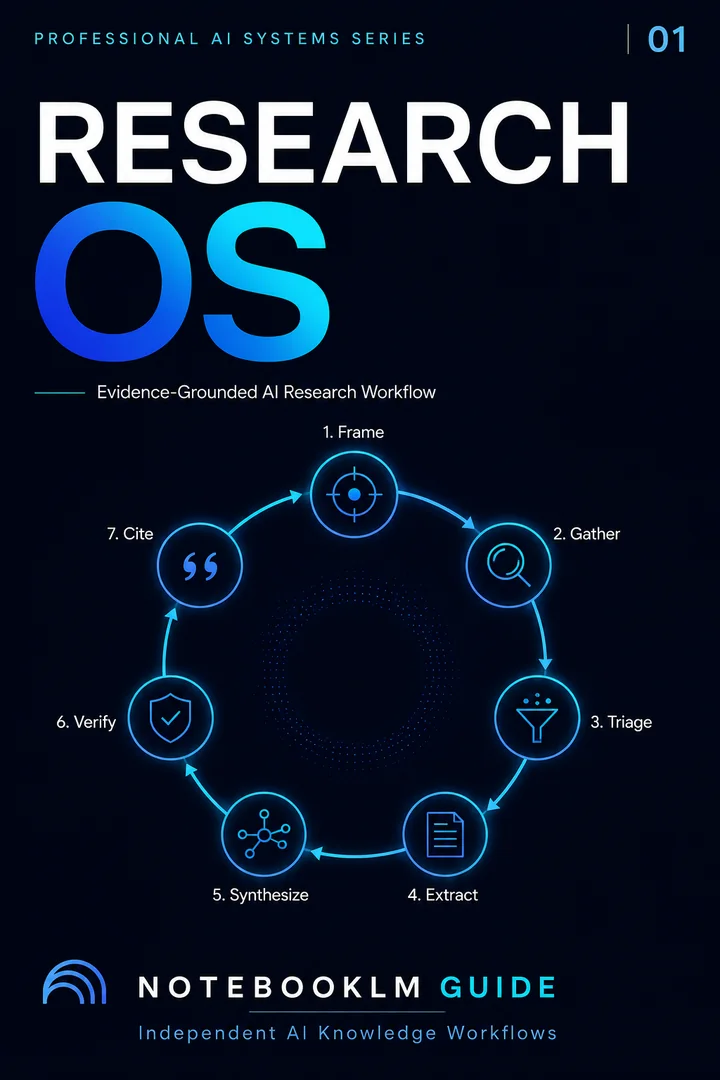
The Research OS
Every stage of the Grounded Research Loop as a tested prompt — Frame through Cite, plus the Evidence Matrix, Insight Matrix and Confidence Check.
Explore the Research Prompt PackageOne-time · Lifetime access · No subscription
Use case 2: The Enchanted Scribe — worldbuilding at scale
Source Organization is uniquely powerful for narrative consistency in complex worldbuilding. The pattern maps a 9-step world-building lifecycle directly to labels — and produces emergent storytelling at the intersection of clusters.
The label-to-phase mapping that works for tabletop RPGs, novel construction, game design, and any setting that needs internally consistent rules:
Phase 1 — Foundations. Label: 🪆 Building Blocks. Core concepts, high-level themes, the irreducible premises. Sources here are mood boards, inspiration documents, and the design pillars.
Phase 2 — Terra Cognita. Three labels: 🌍 Geography (flora, fauna, resources), ✨ Metaphysics (cosmology, magic systems, religion), ⚖ Economy (technology levels, trade networks, currency). Each label is its own coherent system; cross-label queries surface inconsistencies before they reach a player or reader.
Phase 3 — Origins & Tales. Two labels: 📜 History (rise and fall of empires, dated events) and 😀 Cultures (races, languages, daily life, customs). The history label gives the world time depth; the cultures label gives it texture.
Phase 4 — The Living World. Label: ⚔ Organizations. Factions, rivalries, alliances, secret societies. This is where narrative momentum lives.
The killer move comes at Step 8 of the framework: Natural Tensions. Select two labels that govern different layers of the setting — say, ✨ Metaphysics and ⚖ Economy — and ask NotebookLM to surface the tensions. The output is the storytelling gold: "A religious ban on certain minerals is causing a technological recession in three specific trade hubs." That sentence is a campaign hook, a novel subplot, a quest line — produced by the clustering engine, not invented by you. Step 9 (Campaign Creation) becomes the trivial step. The hard work was the labels.
The four habits that separate a clean source architecture from a messy one
Spend 5 minutes a week on maintenance
Remove duplicates. Retitle vague sources. Re-run the audit prompt monthly. Clean inputs yield sharper semantic clusters — the engine is only as good as the text it scans, and a notebook full of "Untitled-1.pdf" gives it nothing to work with.
Use emoji prefixes for scannability
📚 Theory, 📊 Methods, 🎯 Findings, ⚠ Limits. The eye finds labels faster when prefixed with a unique glyph. Cost: ten seconds. Benefit: weeks of saved scanning time across a long-running notebook.
Always declare the label boundary in prompts
"Based ONLY on the sources under the [LABEL] label..." — the explicit boundary cue dramatically improves grounding quality. Selecting the label in the panel is necessary but not sufficient; saying it in the prompt is what locks the model's attention.
Treat labels as queryable, not just navigational
The visual sidebar is the smallest benefit. The real value is anchoring chat, Studio outputs, and Deep Research to subsets. If you only use labels to find things, you are getting 10% of the feature.
Native Source Organization vs. NLM Tools dashboard
Native Source Organization is the right layer for intra-notebook work. The NLM Tools browser extension is the right layer for managing across notebooks — the structural / operational view you cannot get inside any single notebook.
| Capability | Native Source Organization | NLM Tools Dashboard |
|---|---|---|
| Logic | Semantic, internal, content-based | Structural, operational, metadata-based |
| Categorization unit | Internal labels (per notebook) | Cross-notebook tags |
| View type | Nested source list inside one notebook | Card or table view across all notebooks |
| Visibility | Intra-notebook detail | Multi-project oversight (source counts, tags, archival status) |
| Best for | Working on one research question deeply | Managing 10+ active notebooks as a portfolio |
Use both. Native labels for context narrowing inside a notebook; NLM Tools for archival, search, and operational oversight across the whole NotebookLM workspace. The two layers do not compete — they stack.
What Source Organization doesn't do yet
Honest limitations as of May 2026 — worth knowing before you commit a high-stakes project to the workflow.
Clustering quality depends on source quality. If your sources are messy — untitled PDFs, transcripts without speaker labels, screenshots with low OCR fidelity — the engine produces vague labels. Five minutes of pre-upload cleanup pays back tenfold in cluster precision.
The clustering scan takes time on first activation. Crossing the 5-source threshold triggers a full-text scan. On a notebook with 20+ heavy PDFs already uploaded, the initial pass can take several minutes. Subsequent additions update incrementally.
You cannot manually create empty labels and assign sources later. The labels emerge from content. If you want a specific cluster the engine did not generate, your option is to upload a representative source first, then rename the resulting label to what you wanted.
Cross-notebook labeling is not native. If you have the same theme spanning 4 notebooks, native labels cannot unify them. NLM Tools provides cross-notebook tags as the workaround; native unification is reportedly on the 2026 H2 roadmap.
FAQ
Get the 4 practical AI research workflows — free
The AI Research Starter Kit: four workflows, 13 ready-to-use prompts, and a 7-day plan. Instant delivery.
30 copy-ready AI prompts · one PDF
Thirty prompts you can paste today, sorted across research, content, Studio outputs and multi-AI work. Instant access. No credit card.