The Content Operating System
One source. Every format. Still your judgment.
NotebookLM can turn a single article, book, or transcript into audio, video, slides, and a dozen social posts — every one of them grounded in your source rather than invented. What it can't decide is which of those formats is worth making, or what to cut. That part is still yours.
TL;DR: Source-grounded repurposing means every derivative — podcast, briefing, slide outline, social post — is answered only from the material you uploaded, so it can't drift or hallucinate the way generic AI rewriting does. A source-grounded pipeline runs one notebook out across formats in five stages. The 2026 updates widened the output menu, but the judgment about what to publish, and how, doesn't automate.
Independent · Not affiliated with Google · Updated July 2026
What “source-grounded repurposing” actually means
There are two ways to turn one piece of content into many. The common way is to paste your article into a general chatbot and ask for “ten tweets and a LinkedIn post.” The model draws on its training data as much as on your text, so the outputs read plausibly but drift — a statistic softens, a claim you never made appears, your specific argument blurs into generic advice.
The other way is source-grounded. You upload the original into NotebookLM, and every derivative it generates is answered only from that source. If a claim isn't in your material, it won't appear. NotebookLM is built to say “the sources don't cover that” rather than fill the gap with something invented. For repurposing your own work — where the whole point is to stay faithful to what you actually said — that constraint is the feature, not a limitation.
The distinction matters most when the source is proprietary: a book, a course, a research archive, a set of client transcripts. Generic AI will happily paraphrase your book into something that sounds like everyone else's. Source-grounding keeps the derivatives yours.
The source-grounded repurposing pipeline
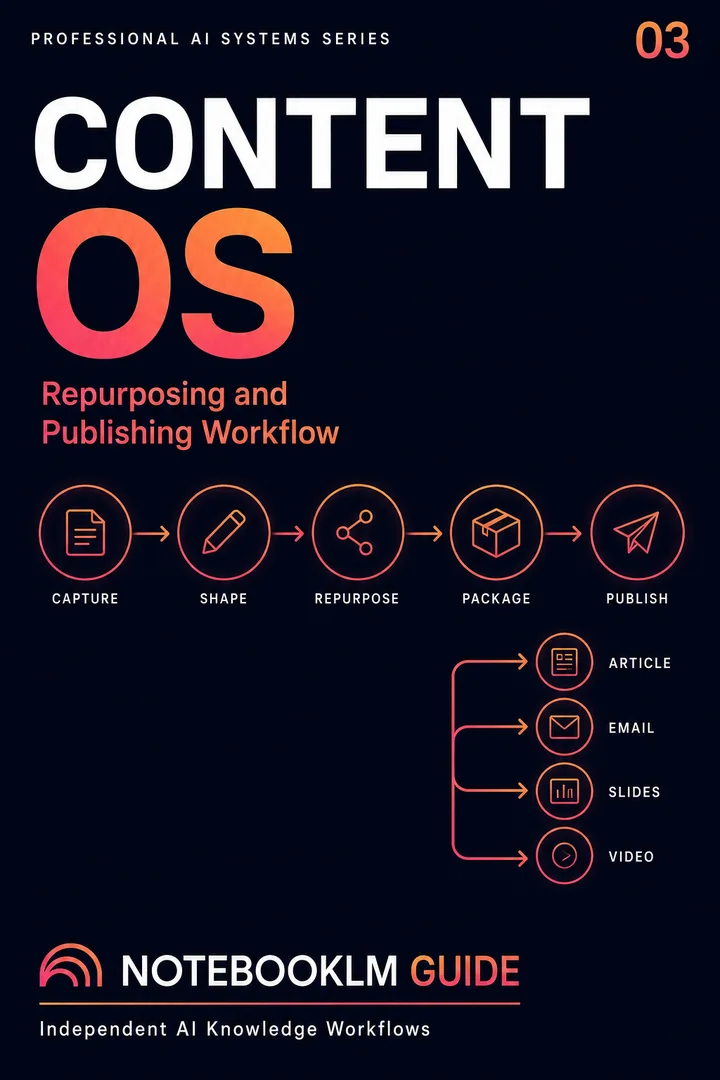
Repurposing feels rich instead of lazy when it follows a sequence rather than a single “make me content” prompt. The pipeline is five stages, each building on the last:
Want the NotebookLM-specific implementation? The Content Alchemist Multiplier workflow walks the same pipeline as a tested, conversion-ready NotebookLM system — 1 article into 30 platform-native assets in 60 minutes.
- Load — upload the source (article, book chapter, transcript, or a small cluster of related pieces) so NotebookLM holds the whole thing in context.
- Map — ask for the core arguments, the supporting evidence, and the quotable moments. This is the raw material every format will draw from.
- Angle — decide the audience and channel for each derivative before generating it. The same source pitched to a newsletter reader and a LinkedIn skimmer are different asks.
- Generate — produce each format from the mapped material: audio overview, briefing doc, slide outline, thread, quiz. One notebook, many outputs.
- Cut — the stage most people skip. Discard the derivatives that don't earn their place. More formats is not more reach; it's more maintenance.
The pipeline is a loop as much as a line: what you learn mapping the source often changes the angles worth pursuing, and the cutting stage feeds back into which formats you bother generating next time.
The format menu: what one notebook can produce
A single NotebookLM notebook can fan out across formats. Each has a natural fit and a real cost — not in dollars, but in your time and attention. The table is the honest version of “turn one thing into thirty.”
| Format | Best for | The real cost |
|---|---|---|
| Audio Overview (podcast) | A companion listen for written work; passive review | Least edit-heavy; but a distributed audio needs framing so listeners know what it is |
| Briefing doc | A tight summary that doubles as a sub-plan, handout, or overview | Low; often usable close to as-generated |
| Slide outline | Turning an argument into a talk or deck skeleton | Medium; the outline is a start, not a finished deck |
| Social posts / thread | Pulling quotable moments out to drive traffic back | Medium; needs channel-specific voice you supply |
| Quiz / flashcards | Turning explainer content into something interactive | Low to generate; only worth it if your audience learns |
| Video Overview | A short visual summary for social or embeds | Higher; format and pacing constraints apply |
The column that matters is the last one. Every format is nearly free to generate and never free to use well.
Go deeper
The Content Multiplier
The full content pipeline as tested prompts — every format, every stage, one source fanned out across channels without rewriting from scratch.
Explore the Content Prompt PackageOne-time · Lifetime access · No subscription
The 2026 updates: a wider menu, one caveat
Two 2026 releases expanded what NotebookLM can output. The April 2026 refresh reorganized the interface into a Sources / Chat / Studio three-column layout and turned Studio into a near one-click content factory. The June 8, 2026 upgrade — NotebookLM moving onto Gemini 3.5 and the Antigravity agentic framework — widened the output types further to include structured reports, presentation outlines, and data visualizations, and let the tool run code behind the scenes.
One honest caveat: the June 8 upgrade began rolling out to a limited set of accounts first — users on higher-tier subscriptions and Workspace business customers — rather than everyone at once. If a format you read about isn't in your Studio yet, that's why. Check the current state before building a workflow around a feature you may not have. Full breakdown of the Gemini 3.5 and Antigravity update →
What AI can't repurpose for you
Here is the part the “one click, thirty assets” pitch leaves out. Generating a format is free. Deciding it should exist is not.
Every derivative you publish is a thing you now maintain, a place your audience can meet a weaker version of your idea, and a demand on their attention. A mediocre podcast version of a strong essay doesn't extend the essay's reach — it dilutes it. The skill that used to be “can you make a podcast?” is now “should this be a podcast, and for whom?”
Creative Content Engine
A content operating system for transforming one grounded source base into multiple coherent formats and channels.
- Reusable workflow architecture
- Source-grounded prompt patterns
- Implementation and review steps
- One-time purchase · permanent access
NotebookLM removes the production cost. It does not remove the editorial cost: choosing the angle, cutting what's flat, adapting voice to each channel, and deciding when one excellent format beats six adequate ones. That judgment is the work now. The tool just made everything before it cheap.
More formats is not more reach. It's more surface area for a weaker idea to spread.
The Repurposing Prompt Pack
One tested prompt per pipeline stage. Paste your source into NotebookLM first, then run these in order.
Stage 2 · Map
From my uploaded source, extract: (1) the 3–5 core arguments, (2) the strongest supporting evidence for each, and (3) the 5 most quotable sentences. Cite the location of each. Do not add anything not in the source.
Stage 3 · Angle
For each core argument, propose one derivative format and the single audience it best serves. For each, name the channel, the hook, and what to leave out. Rank them by likely impact, not by ease of production.
Stage 4 · Generate
Using only the mapped material, draft a [FORMAT] for [AUDIENCE]. Keep every claim traceable to the source. Match the channel's length and tone. Flag anything you cannot support from the source rather than filling the gap.
Frequently asked questions
How many formats can NotebookLM generate from one source?
A single notebook can produce audio overviews, briefing docs, study guides, slide outlines, FAQs, quizzes, flashcards, mind maps, and — since the 2026 updates — structured reports, presentation outlines, and data visualizations. The practical limit isn't the tool; it's how many formats are actually worth publishing.
How much does NotebookLM cost for content work?
The free tier is generous: up to 50 sources per notebook (about 500,000 words each), 100 notebooks, and a few audio overviews per day. The paid tier (bundled into Google's AI Pro plan, roughly $20/month) raises those limits to around 300 sources per notebook and higher daily quotas. For most solo creators, the free tier is enough to repurpose seriously.
Will repurposing through NotebookLM distort my original content?
Far less than generic AI rewriting. Because NotebookLM answers only from your uploaded source, derivatives stay anchored to what you actually said. It's not perfect — always read the output — but it won't invent a claim or statistic that isn't in your material the way an open-web model can.
Is the free version enough for content repurposing?
For most individual creators, yes. 50 sources and 100 notebooks cover a large content archive, and the core repurposing features — audio overviews, briefing docs, format generation — work on the free tier. Upgrade when you routinely hit the source or query limits, not before.
Can I use the newest June 2026 output formats?
Maybe not yet. The June 8, 2026 upgrade rolled out first to higher-tier subscribers and Workspace business accounts rather than everyone. If the newer report and visualization formats aren't in your Studio, your account likely hasn't received the update. Check before planning a workflow around them.
Related workflows & next steps
Content repurposing is one stage of the Content Operating System. Once you're multiplying formats, the next questions are distribution and consistency: turning a repurposing habit into a repeatable content pipeline, mining YouTube research for source material, and building the audio overviews that many creators now distribute as a standalone format. For ready-made prompts, the prompt generator covers the repurposing stages end to end.
Free download
Get the Free Starter Kit
Four complete AI research workflows — research, writing, study, slides and multi-AI. Free, delivered instantly, works on NotebookLM’s free tier.
Free · No credit card · Delivered instantly
30 copy-ready AI prompts · one PDF
Thirty prompts you can paste today, sorted across research, content, Studio outputs and multi-AI work. Instant access. No credit card.