Ship executive decks in 30 minutes, not 3 days.
Stop fighting Slidesgo templates. Stop paying designers for diagrams a board will glance at for four seconds. The Trinity Engine combines NotebookLM's source-grounded research, ChatGPT Image 2's diagram rendering, and your slide tool of choice into one 30-minute workflow.
Turn source documents into boardroom-ready executive decks in about 30 minutes instead of three days. NotebookLM grounds the content and structure in your sources, so slides carry cited facts — you ship a polished, accurate deck without building it slide-by-slide from scratch.
Three workflows. One free prompt. The rest is in the Studio Prompt Package.
Three tools. One workflow. No designer.
The promise of AI-generated decks finally landed in April 2026. Image 2 renders text labels reliably enough for executive use, NotebookLM's grounding gives the diagrams real source citations, and your slide tool composes the deliverable. Here's how the labor splits.
NotebookLM
ChatGPT Image 2
Your Slide Tool
Pick the version of you that ships
Different work, same engine underneath. The free workflows below cover the most common executive-deck patterns; the Studio Prompt Package adds 27 more.
The PhD researcher
Turn 50 PDFs into a defensible literature-review deck before lunch.
The founder
Generate investor-ready competitive matrices without hiring a designer.
The consultant
Ship McKinsey-grade stakeholder maps at solopreneur cost.
Start Here
New to NotebookLM? Quick Start path will set you up in 3 minutes.
Process flowchart from a source set
You have 8 to 30 documents in NotebookLM about a process — regulatory, technical, internal. You need a single visual that communicates the stages to an executive audience.
What this workflow produces
A clean horizontal flowchart of 4–8 stages, rendered with reliable text labels and source-grounded titles. Each node carries a stage number, a 2–3 word title, and a one-line description pulled verbatim from your sources. Suitable for a board-of-directors briefing or a regulatory walk-through.
- Stage-count cap (4–8) forces grouping of trivial sub-steps, producing a diagram dense enough to be useful but readable at projector distance.
- Verbatim label rendering prevents Image 2's auto-paraphrasing — the labels in the diagram match your sources exactly, so citations remain defensible.
McKinsey-style 2x2 strategic matrix
You have competitive research in NotebookLM (your own or extracted from analyst reports). You need to position competitors on a 2x2 visual for a strategy meeting.
What this workflow produces
A 2x2 strategic matrix with two orthogonal axes, four named quadrants, and 6–10 entities plotted as labeled circles. Axis labels render verbatim, entity positions are derived from source-grounded justifications, and quadrant names follow standard strategic-framework conventions.
- Orthogonality enforced at extraction prevents the most common 2x2 failure — two axes that secretly measure the same thing (e.g., "size" vs. "scale"), which collapses the matrix into a diagonal line.
- Spatial-language placement sidesteps Image 2's weakness with numerical coordinates, producing a matrix where entities actually land in the quadrants the analysis assigned.
Stakeholder map from meeting intelligence
You have meeting transcripts or interview notes in NotebookLM. You need a visual map of stakeholders, their relationships, and their relative influence on a project.
What this workflow produces
A relationship network diagram with the project at the center, up to 12 stakeholders placed as colored circles by role (sponsor, core team, peripheral, blocker), connected by labeled directional arrows showing reporting lines, collaborations, and tensions. Influence is encoded by node size; layout minimizes edge crossings.
- 12-stakeholder cap with grouping prevents the "wall of names" failure mode that makes most stakeholder maps unreadable in a meeting room.
- Directional language at extraction ("reports to," "champions," "blocks") produces edge labels with semantic content — not just "connected to" — so the map communicates power dynamics, not just associations.
27 more diagram prompts. 5 categories. One master template.
The three workflows above are the foundation. The Studio Prompt Package adds the rest of the diagram universe an executive deck actually needs — plus the methodological scaffolding that turns first drafts into deliverables.

Studio Prompt Package — everything you don't see on this page
A working toolkit for executive-grade diagrams. Print or screen-read. Editorial-quality typography. 59 pages of tested prompts you can copy and paste.
- The Master Prompt Template — the 7-part engine every diagram in the Studio Prompt Package specializes
- 5 complete workflows — process flow, 2x2 matrix, stakeholder map, multi-step infographic, comparison panel
- 30 ready-to-run prompts across 5 categories (flowcharts, matrices, networks, infographics, comparisons)
- 5 brand color palettes tuned for executive contexts: editorial, tech-modern, healthcare, finance, academic
- 10-point pre-deck audit checklist — what to verify before pasting any output into a slide
- Troubleshooting guide for the 6 most common Image 2 failure modes + the fix for each
$19.99· One-time · free updates · Instant PDF download
Explore the Studio Prompt PackageThree things changed in April 2026
The unlock
Image 2's text rendering finally works for diagrams
Earlier image models hallucinated labels — "manaagement," "develpment," random word substitutions. Image 2's Thinking mode renders multilingual labels with high accuracy across English, Chinese, Japanese, Korean, and more. For the first time, an AI-generated diagram can ship to a board without a manual relabeling pass.
The split
NotebookLM has citations. Image 2 has typography. Slides has the brand layer.
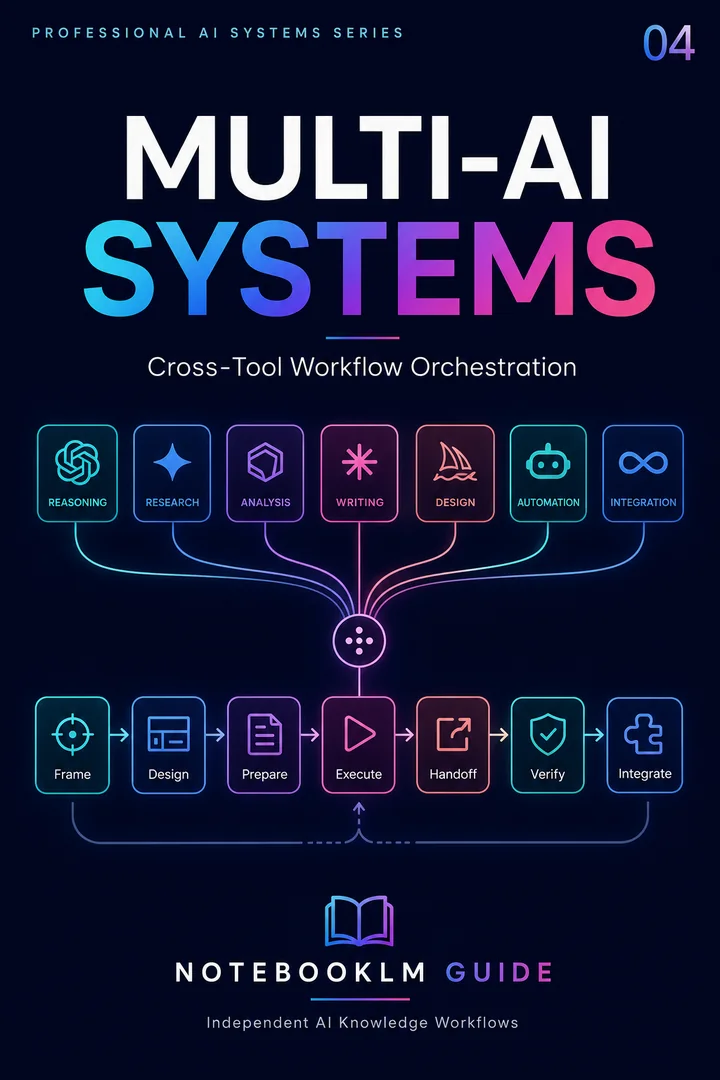
Trinity Stack
A multi-AI orchestration framework for assigning research, reasoning, production, and review to the right systems.
- Reusable workflow architecture
- Source-grounded prompt patterns
- Implementation and review steps
- One-time purchase · permanent access
Each tool is brilliant at one job and unable to do the others. NotebookLM cannot render labels reliably as images. Image 2 has no idea what your sources actually say. Your slide tool can't improvise content. The Trinity Engine gives each tool the job it's actually built for, and gets a 30-minute deck out the other side.
The result
30-minute decks with zero designer dependency
The free workflows above produce decks indistinguishable from a junior consultant's first draft. The Studio Prompt Package adds the methodological rigor — failure-mode awareness, brand palette discipline, audit checklists — that turns first drafts into executive-ready deliverables. No designer required for the first 80% of decks; designers can be reserved for the 20% that need bespoke craft.
Questions people actually ask
Ship your next executive deck this afternoon
One-time $19.99. 59-page PDF with 5 workflows, 30 tested prompts, 5 brand palettes, audit checklist, and troubleshooting playbook. free updates included when major Image 2 versions ship. Instant download.
Explore the Studio Prompt PackageSecure checkout via Stripe · PDF + password delivered instantly · For individual use
4 workflows + 4 reusable prompts
Start with four practical, source-grounded workflows and four reusable prompts. Instant access. No credit card.