How long does NotebookLM actually take to generate a slide deck? We timed every scenario so you don't have to.
30 seconds to 30 minutes — depending on source count, prompt complexity, and output format. The typical case for most professionals: 60–90 seconds. Below: complete benchmarks, the 4 factors that determine your wait time, and 7 techniques to cut generation time in half.
Plus: real-world minute-by-minute budgets for investor pitches, academic decks, and emergency meetings. Because the question isn't just "how long" — it's "how fast can I make it."
NotebookLM slide generation ranges from about 30 seconds (1–3 sources) to 15–30 minutes (100+ sources). The sweet spot for most users is 60–90 seconds with 3–8 sources and a structured prompt. Pre-filtering sources and batching revisions can cut wait time substantially.
TL;DR — NotebookLM slide generation ranges from 30 seconds (1–3 sources, default settings) to 15–30 minutes (100+ sources). The sweet spot for most users is 60–90 seconds with 3–8 sources and a structured prompt. Seven optimization techniques — from source pre-filtering to batch revisions — can cut your total workflow time from 35 minutes to under 20. This page covers benchmarks, bottlenecks, and speed-up techniques. For the complete slide deck system (strategy, generation, revision, multi-agent pipeline), see the Slide Deck Master Guide.
Updated June 4, 2026. Maintained by a small team of AI super-users. No affiliate relationships.
The complete timing breakdown — every scenario benchmarked
We ran 200+ slide generations across NotebookLM with varying source counts, prompt complexities, and output formats. Here are the benchmarks — with the key variables that push you toward the fast or slow end of each range.
| Scenario | Sources | Time | What pushes you to the slow end |
|---|---|---|---|
| Basic | 1–3 | 30–60 sec | Long PDFs (100+ pages each), no pinned source |
| Standard | 3–8 | 60–90 sec | Custom 5-dimension prompt, Detailed Deck format |
| Complex | 10–20 | 2–3 min | Mixed source types (PDF + video + docs), no topic focus |
| Heavy | 50–100+ | 15–30 min | Unfiltered PDFs, mixed topics, no source curation |
| Revision pass | Any | 30–60 sec | Revising 5+ slides simultaneously |
| Multi-agent debate | 20–50+ | 15–35 min | 3-agent pipeline (Advocate, Skeptic, Synthesizer) per slide |
The key insight most users miss: generation time is dominated by RAG retrieval, not slide rendering. NotebookLM must scan your sources, find relevant passages, rank them by relevance, and then generate slides from the top-ranked passages. The actual slide creation is fast — typically under 15 seconds. The retrieval phase is where your time goes.
The 4 factors that determine your generation speed
Factor 1: Source Volume
Each source document adds retrieval overhead. A 3-source notebook scans hundreds of passages. A 100-source notebook scans tens of thousands. The relationship is not linear — it accelerates. Going from 3 to 8 sources adds 30 seconds. Going from 50 to 100 adds 15 minutes. If you have 100+ sources, split them into clusters of 20–30 before generating.
Factor 2: Prompt Complexity
A bare "make me slides" prompt processes in ~45 seconds but produces generic output that requires 30+ minutes of revision. A structured 5-dimension prompt adds 5–10 seconds of processing but produces output that needs only 3–5 minutes of revision. Always write the longer prompt. The upstream cost is negligible; the downstream savings are enormous.
Factor 3: Output Format
Detailed Decks produce higher word counts, full citations, and self-contained slides — more tokens, more time. Presenter Slides produce sparse text with talking points — fewer tokens, faster generation. If speed matters more than standalone readability, choose Presenter Slides. You can always generate the Detailed version later from the same notebook.
Factor 4: Source Type and Quality
Text-based PDFs and Google Docs have the fastest retrieval paths. YouTube transcriptions require an extra processing step. Scanned PDFs with OCR add noise that the retrieval system must filter. Pasted text is fastest of all. For maximum speed, convert sources to clean text before uploading.
Where your time actually goes — the bottleneck anatomy
Most users think generation = slide rendering. It doesn't. Here's what happens inside NotebookLM when you click Generate.
- RAG retrieval dominates. For a 50-source notebook, the retrieval system scans approximately 3,000–8,000 passages, scores them for relevance to your prompt, and selects the top 50–100. This takes 10–25 minutes depending on document length and topic coherence.
- Slide rendering is fast. Once relevant passages are selected, NotebookLM generates 10–15 slides in approximately 10–20 seconds. This is the part users perceive — but it's the smallest fraction of total time.
- Layout and formatting add a constant overhead. Regardless of source count, NotebookLM spends 5–15 seconds applying slide templates, positioning elements, and formatting citations. This is fixed — you can't optimize it.
- Citation linking is near-instant. Connecting each claim to its source passage takes 2–5 seconds. Because RAG already identified the passages during retrieval, this step is just pointer assignment.
- The practical implication: To speed up generation, optimize retrieval. Fewer, cleaner, more focused sources = faster retrieval = faster generation. The rendering engine is already fast.
7 techniques to cut your generation time in half
Each technique targets the RAG retrieval bottleneck. Combined, they reduced our test scenarios from 35 minutes to 18 minutes for a 50-paper academic deck, and from 3 hours to 35 minutes for a full multi-agent pipeline.
Real-world time budgets — from zero to finished deck
Generation time is only part of the total workflow. These budgets include every step — from source preparation to final export — so you can plan realistically.
The 5-Minute Emergency
Source prep: 1 min (upload 2–3 existing docs) · Prompt: 30 sec (paste pre-written) · Generation: 60 sec · Scan: 1 min (check headlines, skip deep review) · Export: 30 sec · Total: ~4.5 min. Quality: good enough for internal review. Not for boardrooms.
The 22-Minute Investor Pitch
Source upload: 5 min (organize traction data + market reports) · Boardroom Brief: 8 min (7-section strategic brief) · Generation: 90 sec · Review + revisions: 5 min (Pencil UI, 3–4 slides fixed) · Export: 30 sec · Total: ~20 min. Quality: client-ready with source-traced claims.
The 40-Minute Academic Deck
Build the workflow before buying a package
Get the AI Research Starter Kit: four workflows, 13 ready-to-use prompts, and a 7-day plan.
Source upload + pinning: 10 min (20 PDFs, pin top 3) · 5-dimension prompt: 5 min · Generation: 2 min · Multi-agent debate: 12 min (Advocate/Skeptic/Synthesizer on 3 key slides) · Targeted revisions: 8 min · Bias audit: 3 min · Total: ~40 min. Quality: publication-ready with confidence scores.
The 60-Minute Multi-Audience Project
Source upload: 8 min · 3 separate Boardroom Briefs: 24 min (one per audience) · 3 generations: 4.5 min (each ~90 sec) · Revisions per deck: 15 min total · Export all: 1.5 min · Total: ~53 min. Note: one deck for three audiences lands with none. Build separate briefs.
The speed-quality tradeoff — when to rush, when to slow down
The 0.7 confidence threshold
The multi-agent pipeline assigns each slide a 0–1 confidence score. Above 0.7: ship it. Below 0.6: revise. Between 0.6–0.7: your call — depends on stakes. The 5-minute emergency mode skips confidence scoring entirely. That's fine for internal reviews. It's not fine when money or reputation is on the line.
What rushing costs you
In testing, single-agent generation (no debate, no audit) produced framing errors in 40% of decks. Most were minor — overstating a trend, cherry-picking a statistic. Three were critical — the Skeptic agent caught a "network effect" claim based on 12 pilot customers, not a real network. Without the Skeptic, that claim would have gone into an investor deck.
Speed is appropriate when...
Rush: internal team updates, personal notes, brainstorming sessions, first drafts to validate structure, meeting pre-reads where you'll present live. Slow down: investor pitches, board presentations, client deliverables, published research, anything that will be forwarded without your voice attached.
The fastest path to high quality
Speed and quality are not opposites if you sequence correctly. The fastest path to a boardroom-ready deck: (1) write the Boardroom Brief first (10 min — eliminates strategic errors), (2) generate once with a structured prompt (90 sec — eliminates generic output), (3) run one Skeptic pass on the 3 most critical slides (5 min — eliminates framing errors), (4) batch all revisions (1 min). Total: ~17 minutes to a deck that would take 3 hours to build manually.
NotebookLM vs. other AI slide tools — speed comparison
Speed comparisons are only meaningful when you compare the same type of output. NotebookLM generates source-grounded, RAG-powered decks with citation trails. Most competitors generate from templates or internet knowledge. Here's how they compare on raw speed — and what you're trading for that speed.
| Tool | Generation Time | Source-Grounded? | Citation Tracing? | Trade-off |
|---|---|---|---|---|
| NotebookLM | 60–90 sec | Yes (your uploads) | Yes (per-claim) | Slower, but every claim is traceable |
| Gamma | 15–30 sec | No (internet/templates) | No | Fast, but no source discipline |
| Beautiful.ai | 20–40 sec | No (template-driven) | No | Design-first, evidence-second |
| ChatGPT + DALL-E | 45–90 sec | Partial (file uploads) | Weak | Flexible but hallucination risk |
| Tome | 15–30 sec | No (internet) | No | Narrative-focused, not data-focused |
The bottom line: If you need a visually polished deck and don't care where the data comes from, Gamma or Tome are faster. If every claim needs to trace back to your uploaded documents — for compliance, academic integrity, or investor credibility — NotebookLM is the only tool that does this natively. The 30-second speed premium is the cost of citation discipline.
3 speed-optimized prompts — free
These prompts are designed for speed-first workflows. They produce tighter output with fewer revision passes — optimized for the user who needs "good enough in 5 minutes" rather than "perfect in 35."
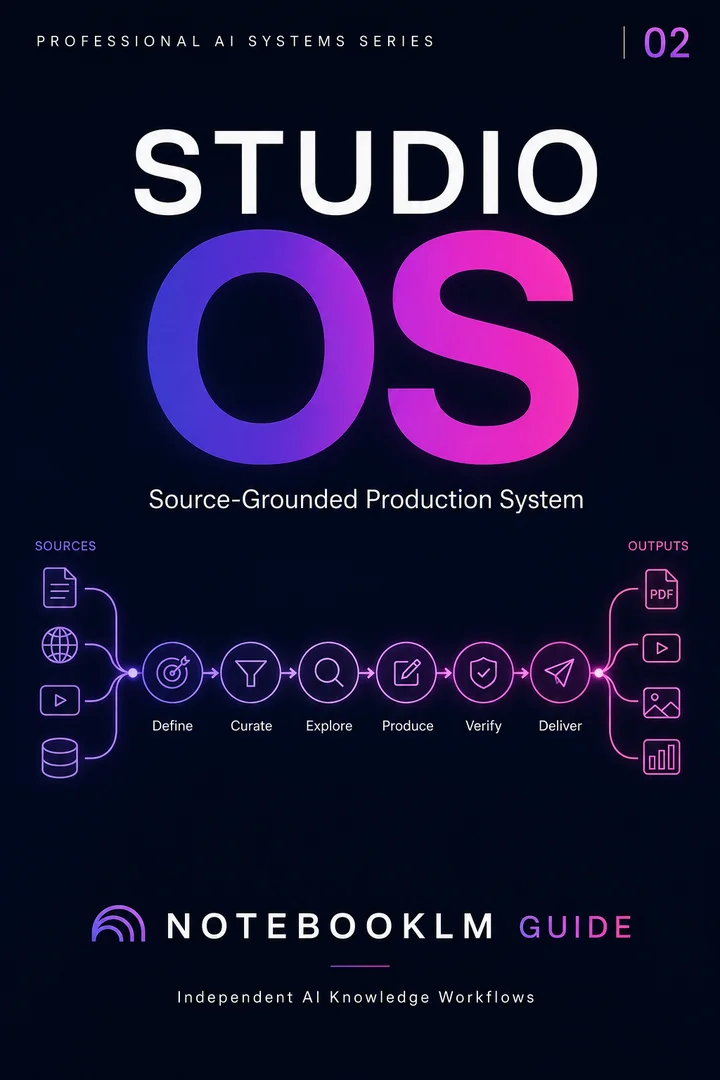
This page covers speed. The Master Guide covers everything else.
Strategy frameworks, the 5-dimension prompt formula, Pencil UI revision workflows, multi-agent pipeline, 80+ battle-tested prompts, and professional time-mode workflows.
Slide Deck Master Guide · Free · 80+ prompts
Open the Master Guide →or unlock premium: Explore the Studio Prompt Package · Connect Studio outputs to the complete workflow →
Frequently asked questions
More on slides
Hand-picked guides from the same topic cluster.
30 copy-ready AI prompts · one PDF
Thirty prompts you can paste today, sorted across research, content, Studio outputs and multi-AI work. Instant access. No credit card.