Turn NotebookLM Research into Editable Decks, Sites & Prototypes — with Claude Design
NotebookLM grounds the facts. Claude Design ships the visuals. Combined: agency-quality output in 60 minutes, not days — with full editability in PowerPoint, Canva, or your code editor.
Pair NotebookLM’s grounded research with Claude Design’s editable visuals: NotebookLM supplies cited content, then Claude Design turns it into editable PPTX decks, websites, and prototypes. The 2026 workflow keeps outputs source-accurate while making them fully editable.
TL;DR — Pair NotebookLM's grounded research with Claude Design's editable visuals. The complete 2026 workflow: PPTX, websites, prototypes — agency-quality in under an hour. Free Master Brief prompt included.
Updated June 2026. Maintained by a small team of AI super-users who teach multi-AI research and study workflows to researchers, students, and professionals — no affiliate relationships. About this guide →Changelog
Who pairs Claude Design with NotebookLM?
Anyone who lives between research and a polished deliverable. Founders pitching tomorrow. PMs shipping a prototype overnight. Marketers with a synthesis but no design budget. The combo collapses the gap that used to need a designer, a developer, or a long weekend.
Same-day pitch deck
Competitor analysis and user interviews into a branded PPTX with cited charts, ready for the investor meeting tonight.
Prototype before standup
Spec from research becomes a clickable HTML prototype with realistic data, shareable URL for stakeholder feedback.
Landing page without devs
Synthesized positioning becomes a responsive site with scroll animations — standalone HTML you can deploy to Vercel in minutes.
Course materials, fast
Source material becomes interactive lesson modules, quizzes, and a study dashboard students actually engage with.
What is Claude Design and why does it matter for NotebookLM users?
Claude Design (claude.ai/design) is Anthropic's dedicated visual workspace. Launched April 17, 2026, it pairs Claude's vision model with project-level state, brand assets, generated control sliders, and inline editing. Available on Pro, Max, Team, and Enterprise tiers.
It is not Claude Artifacts. Artifacts produces single outputs inside a chat. Claude Design holds projects, applies brand systems, lets you comment on specific elements, and exports to PPTX, standalone HTML/CSS/JS, Canva, and Claude Code handoff bundles. It is a product, not a feature.
Why this matters for NotebookLM users specifically: NotebookLM ends at the synthesis layer. You leave with a grounded report or a serviceable PPTX, but the visuals are generic. Claude Design starts where NotebookLM stops — brand consistency, hierarchy, interactions, accessibility, and editable exports a non-designer can polish in PowerPoint or Canva. The two tools fit together cleanly because they are doing different jobs.
Why Claude Design is not a canvas tool — and why that matters
The most common mistake in the first ten minutes of using Claude Design is treating it like Figma or Canva with an AI plugin bolted on. It is not. Closer to the truth: Claude Design is to Figma what Claude Code is to a code editor. The AI is the primary generator. The human is the primary reviewer. The whole product is built around that inversion, and the differences from canvas tools are concrete, not stylistic.
Over the last year, Figma added AI, Adobe added AI, Canva added AI. The pattern was the same in each: a human-driven canvas with an AI plugin layered on top to draw faster or write copy more easily. Claude Design takes the opposite path. AI generates the artifact; the human reviews, redirects, and approves. Three concrete differences fall out of that inversion.
The output is runnable code, not a static design file. Build a Mac app prototype in Claude Design and what you get back is React + CSS — a thing that runs. Links click. Tabs switch. Versions diff. This is a different species from "generate a pretty UI mockup." It also means the handoff to engineering is not "here is an image, please rebuild it" — it is a draft implementation that drops into your existing component library.
It absorbs your design system at the org level. Upload a codebase, a deck, a brand kit. Claude Design extracts colors, fonts, components, layout rules, then applies them across every project that follows. Designers at Brilliant report that interactions which used to take 20-plus prompts in other tools land in two prompts in Claude Design — because the tool already knows the design language. There is no re-explaining your visual system on every new project.
It reads your codebase as code, not as screenshots. When the design is done and you click handoff, the engineer does not receive a flat image to reverse-engineer. They receive an implementation draft scoped to the component structure, framework patterns, and file organization the codebase already uses. The output is shaped to fit, not to be transcribed.
There is one more capability that does not fit the canvas-tool comparison at all: Claude Design can produce custom tools, not just designs. Need a color picker tuned to your specific brand palette? A spec generator for a recurring deliverable? A small interactive prototype to test one micro-flow with users? Claude Design can build the tool to help you think through the problem, not just the design that documents the answer. The output category is "any computational artifact that helps you think clearly," which is a wider surface than any canvas tool addresses.
The shift in working pattern is what teams notice first. Datadog reports that work which used to take a week of brief → mockup → review cycles now happens in a single meeting with the engineer in the room, the design forming live in the conversation. This is not "Figma got 30% faster." It is a different working mode — one where the bottleneck moves from "designer's bandwidth" to "decision speed."
Where Claude Design is the wrong choice. Anything with clear structure, defined information blocks, and describable interaction logic is exactly its wheelhouse: product prototypes, onboarding flows, search experiences, approval queues, decks, landing pages, marketing assets, internal admin tools, design exploration. Where it is not trying to compete: open-ended emotional or pure artistic work where the goal is the felt sense of an image rather than a structured artifact. That work still belongs in tools designed for humans-as-generators. Claude Design is not coming for that job.
How do you combine Claude Design with NotebookLM? Three workflows that stack the two tools.
Each workflow assumes you have a NotebookLM notebook with sources already loaded. The Master Brief at the top of this page is the connecting prompt — copy it, fill the bracketed fields, paste into Claude Design.
Research → Editable PowerPoint Deck
Research → Animated Landing Page
Research → Interactive Prototype or Dashboard
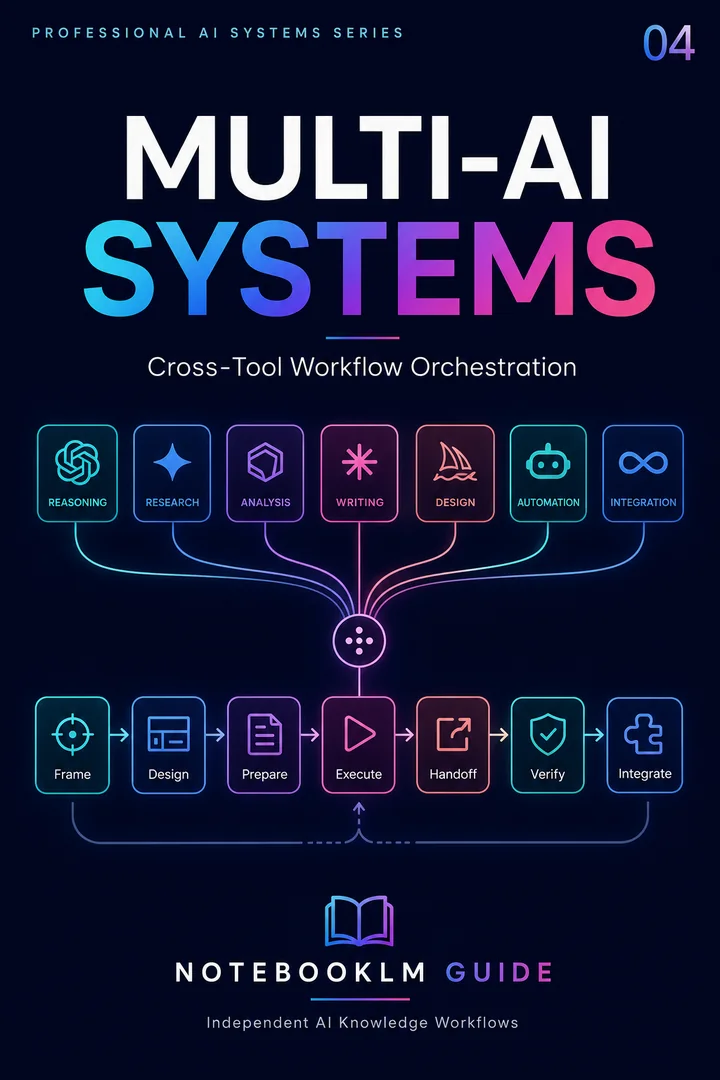
Trinity Stack
A multi-AI orchestration framework for assigning research, reasoning, production, and review to the right systems.
- Reusable workflow architecture
- Source-grounded prompt patterns
- Implementation and review steps
- One-time purchase · permanent access
What separates good Claude Design output from agency-quality output? Four habits.
Upload brand assets first — before you prompt
Logo, color hex codes, typography, 3–5 example outputs you like. Claude Design's vision model anchors on what you upload. Without anchors, defaults take over and the output looks generic.
Prompt for editability explicitly
"Layered, named groups optimized for PowerPoint." "Semantic HTML with accessible landmarks." "Components extractable for design system reuse." These phrases cost nothing to add and dramatically improve downstream editability.
Start broad, then refine
First prompt sets structure. Follow-ups polish. Trying to specify hero typography, color contrast, animation curves, and accessibility in one prompt produces hedged, mediocre output. Two passes beat one perfect prompt.
Test exports early, not at the end
Export after the first generation. Open in PowerPoint or VS Code. Catch editability issues now, not after 40 minutes of refinement. The "iteration protocol" line in the Master Brief is your friend — it forces a pause for review.
What does the Claude Design + NotebookLM workflow not do yet?
Honest limitations as of May 2026 — useful to know before you commit to the workflow for a high-stakes deliverable.
Pixel perfection is not guaranteed. Fonts may substitute when exporting to environments that don't have your typography. Images sometimes need manual replacement. Plan for a 10-minute polish pass in PowerPoint or VS Code after export.
Heavy 3D and complex animation need code polish. Claude Design produces strong CSS animations and SVG. WebGL, Three.js scenes, and frame-perfect motion design are still better authored in dedicated tools and embedded.
Usage limits exist. Pro and Max use 5-hour rolling windows. A heavy session (multiple iterations on a 20-slide deck plus a landing page) will hit limits. Generate the structural draft, export, then return for refinement — or move to Team or Enterprise tiers if you're producing daily.
Enterprise design systems still want Figma. Claude Design applies brand consistency well within a project but is not a replacement for the multi-team, version-controlled design system Figma provides. Use Claude Design for production deliverables; keep Figma for the system itself.
How does Claude Design compare to other AI design tools?
The most useful column below is "Generation model." It is the single distinction that explains why Claude Design works differently from everything else on the list.
| Tool | Generation model | Best for | NotebookLM integration | Output type |
|---|---|---|---|---|
| Claude Design | AI generates, human reviews | Editable decks, sites, prototypes from research | Direct — upload PPTX or PDF export | Runnable code + PPTX + Canva handoff |
| Canva AI | Human generates, AI assists | Drag-and-drop visual polish, social posts | Manual paste — no direct import | Static Canva file |
| Figma AI | Human generates, AI assists | Multi-team design systems, component libraries | Manual — no direct path | Static design file (needs developer) |
| v0 / Lovable | AI generates, human reviews | Coding-first prototypes, full apps | Manual — specs as text input | Runnable code (needs developer to refine) |
| Raw Claude Code | AI generates, human reviews | Production implementation from a brief | Manual — specs as text input | Runnable code (no visual workspace) |
When to pick Claude Design: the deliverable needs to be both visually polished and editable by a non-designer, the source material is research-grounded, and you want runnable output rather than a static file someone else has to rebuild. That combination is the gap Claude Design fills better than any single alternative on this list.
FAQ
Get the 4 practical AI research workflows — free
The AI Research Starter Kit: four workflows, 13 ready-to-use prompts, and a 7-day plan. Instant delivery.
Four workflows · 13 ready-to-use prompts · 7-day plan
Start with four practical, source-grounded workflows, 13 ready-to-use prompts, and a 7-day plan. Instant access. No credit card.